
In this example, we tested our query on a test LDAP with the below structure (which will be the datasource for our Elements Connect field).
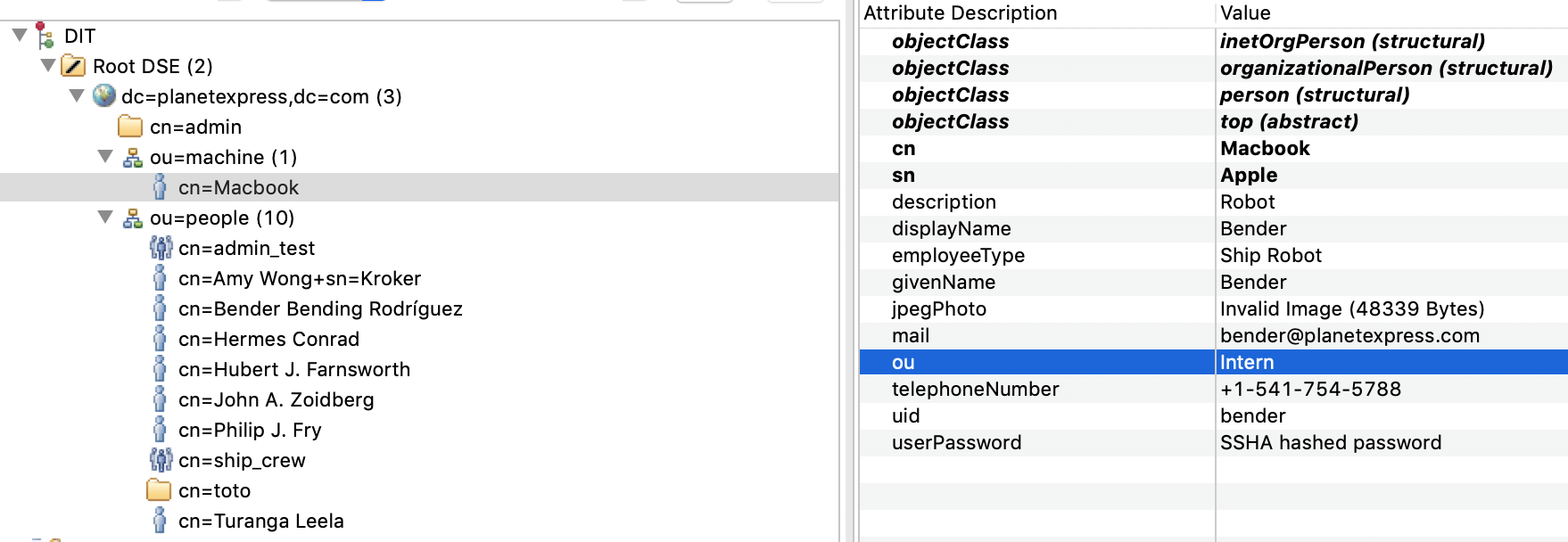
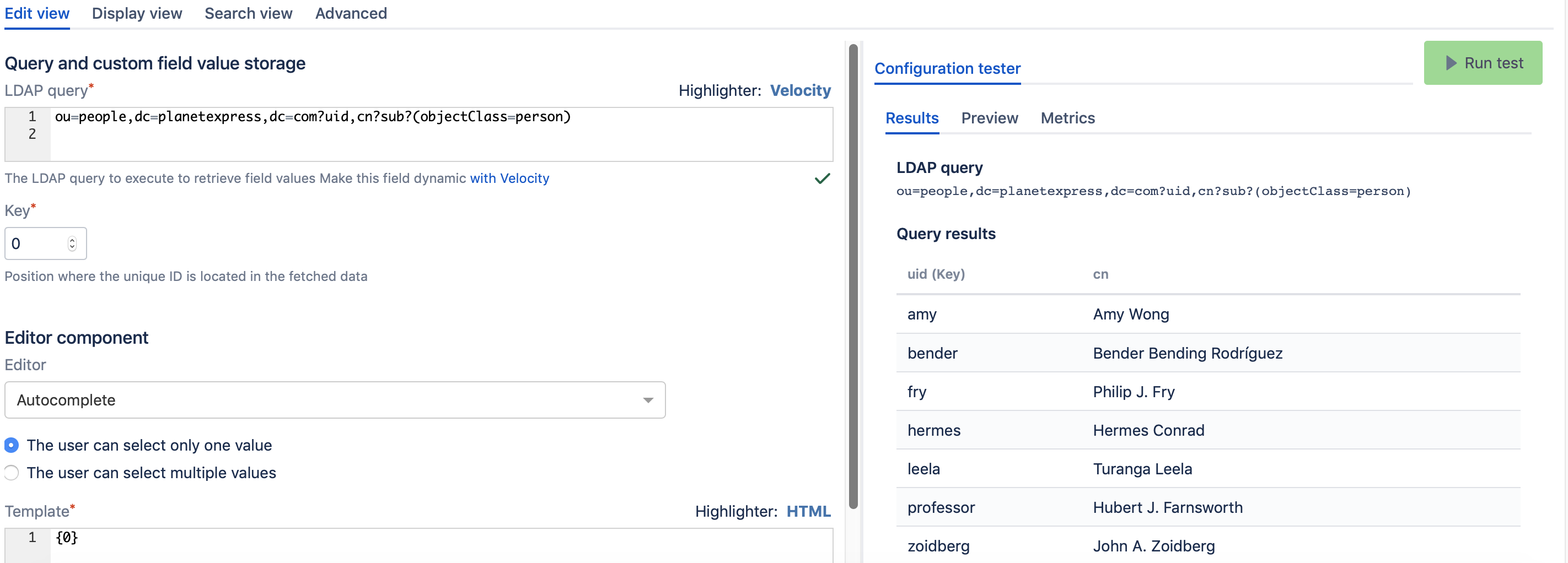
If the user wanted to query a specific OU, that would be simple, and could be achieved by using the below query in the Edit view of Elements Connect field.
The LDAP query will looks like:
ou=people,dc=planetexpress,dc=com?uid,cn?sub?(objectClass=person)
And the output will be:
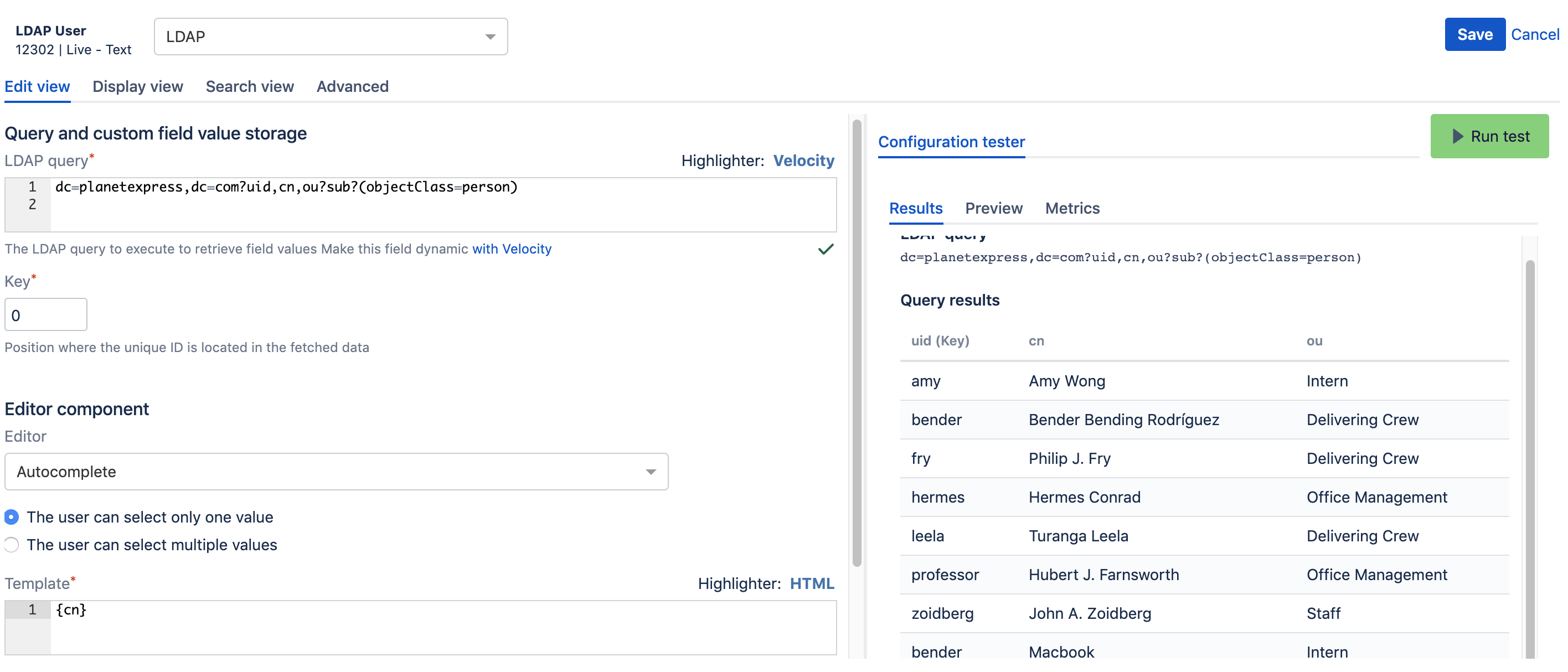
Now, if the user wants to retrieve entities in both OU's, the query will be:
dc=planetexpress,dc=com?uid,cn,ou?sub?(objectClass=person)
You might wonder why the other entries didn't appear and that's because they don't have the "objectClass=person" attribute.
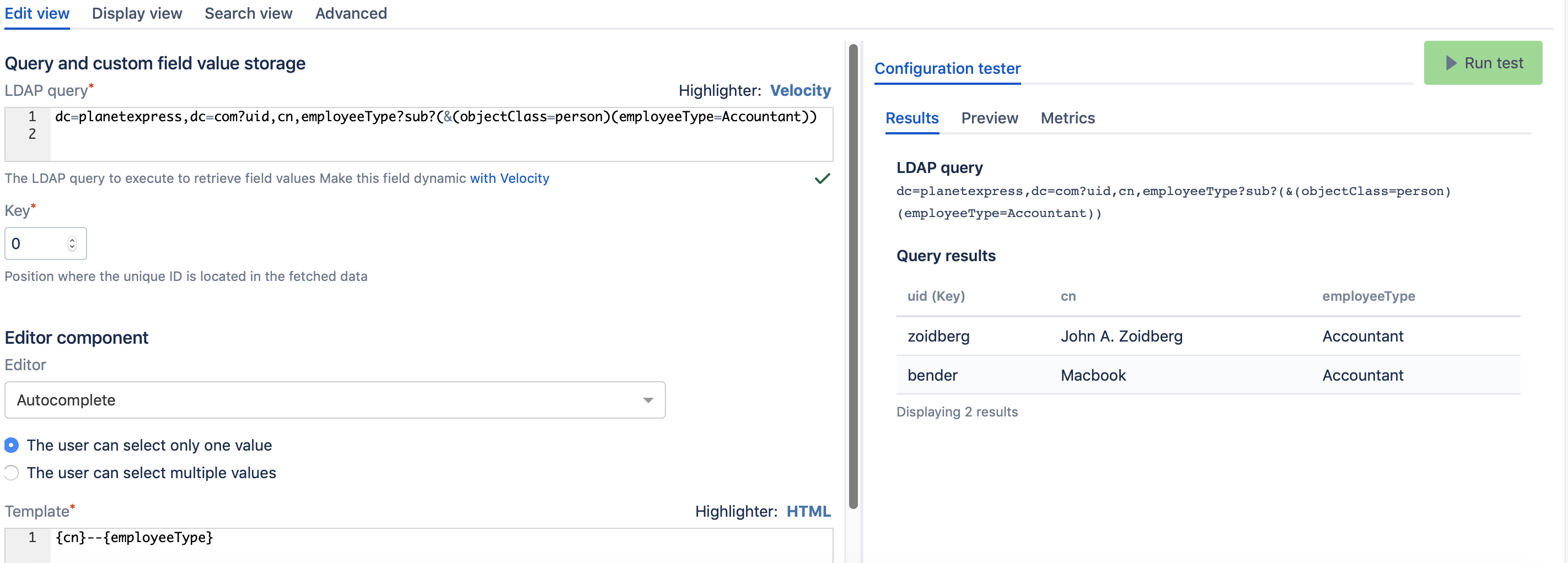
Now, if we wanted to query multiple Ou's to retrieve all the entries where "ou=Accountant", the LDAP query should be something like:
dc=planetexpress,dc=com?uid,cn,employeeType?sub?(&(objectClass=person)(employeeType=Accountant))
And the result would be as shown in the below screenshot, knowing that "John A. Zoidberg" and "MacBook" are from two different OU's (as per our LDAP structure).
This is a simple example which can adapted to match the client needs, for more complicated queries, it's always recommended to contact an LDAP administrator.