
Jira Service Management (JSM) projects handle custom fields differently than Jira Software projects.
This documentation provides a detailed view of which field dependencies are supported in JSM projects, based on the current technical limitations and product behavior.
JSM has three views where connected fields can be used:
|
View |
Who uses it |
|---|---|
|
Create request (portal) |
Customers |
|
Create work item (agent) |
Agents |
|
Edit work item (agent) |
Agents |
Before you start
Synchronize your JSM projects
A manual action is required for the initial setup and whenever you need to configure Jira field dependencies for a new portal or a new request type.
In “Settings” tab, click on the Synchronize button to be up-to-date.
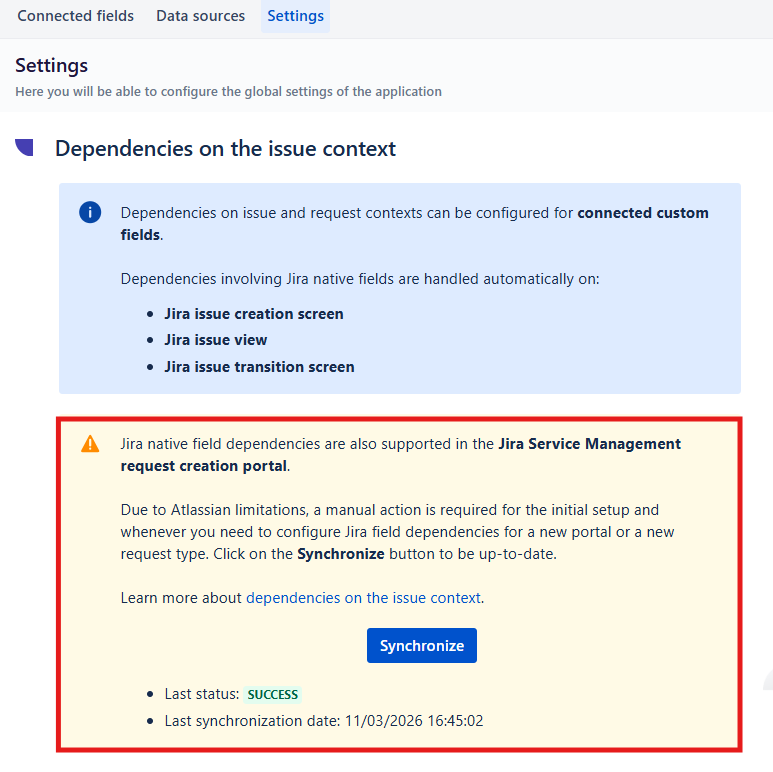
Display both fields
For a dependency between two fields, both the parent field and the child field must be displayed on the screen or request form.
Supported dependencies
Views
|
Dependency Type |
Create issue (agent) |
Edit issue (agent) |
Create request (portal) |
|---|---|---|---|
|
|
|
|
|
|
|
|
|
|
|
|
|
|
|
|
|
|
|
|
|
inc. Jira native fields |
|
|
|
|
|
|
|
Variables reference
|
Dependency Type |
Variables with Freemarker (preferred) |
Variables without Freemarker |
|---|---|---|
|
|
|
|
|
|
|
|
|
|
|
|
|
|
|
|
|
inc. Jira Native fields |
|
|
|
|
|
At the moment the only Jira fields supported for dependencies are:
-
Select list (single choice)
-
Select List (cascading)
-
Text Field (single line)
Check documentation here for detailed referencehttps://doc.elements-apps.com/elements-connect-cloud/dependencies-on-the-issue-context
Current limitations
With 8.7.0 (October 2026)
-
Company-managed projects only. In team-managed service projects, the dependency does not work in the agent Create dialog because of an Atlassian bug (FRGE-2293).
-
Atlassian Preview feature. This relies on a Jira feature that Atlassian still labels as Preview for the JSM agent view. Its behavior may change on Atlassian's side.