
It can happen that a field configuration is erroneous and the item option/value generation fails.
Most of the time, it's either caused by:
-
An invalid query
-
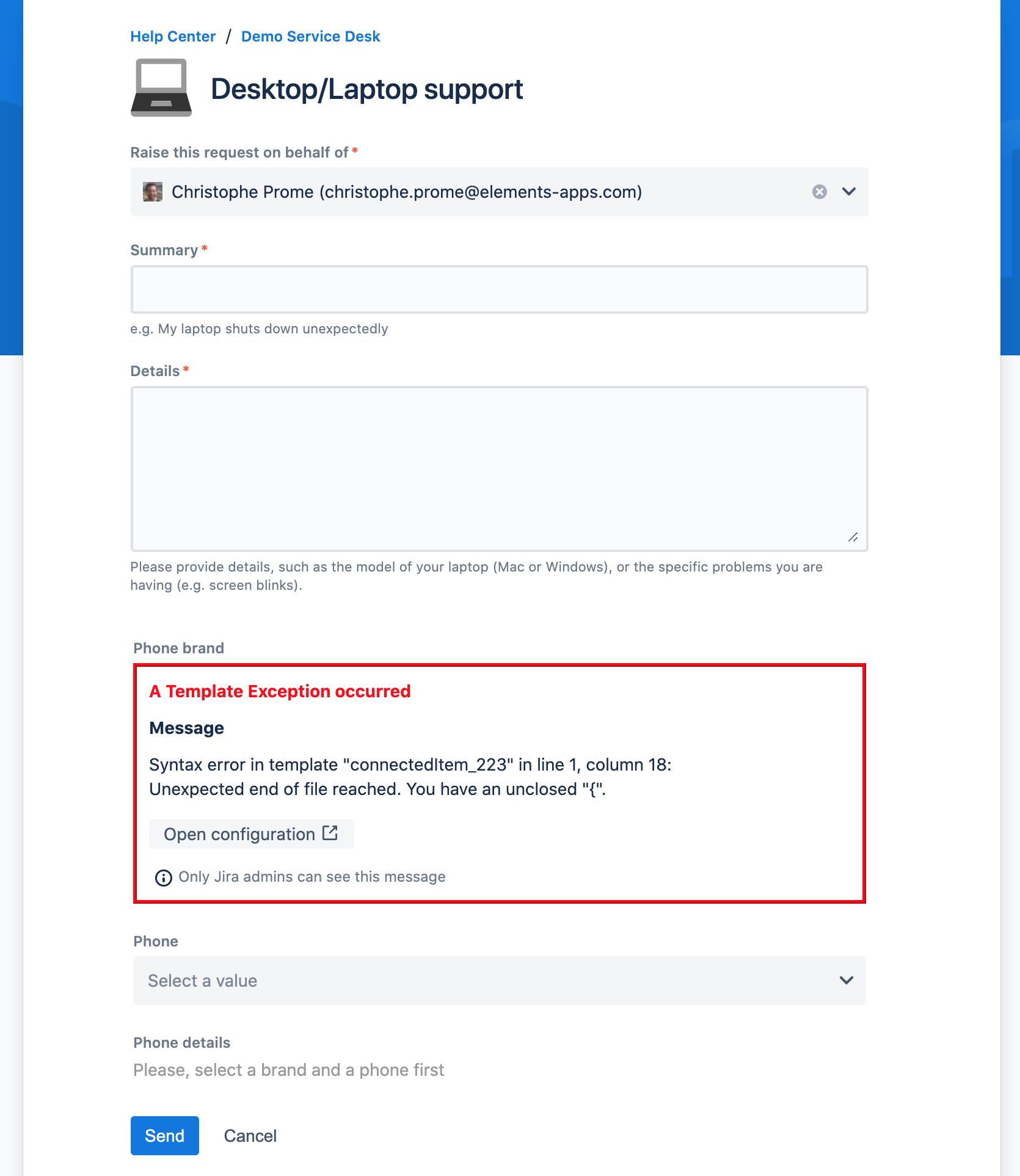
An invalid FreeMarker template that cannot be evaluated
Invalid query
To debug an invalid configuration, Elements Connect displays an informative error message in the Jira Service Management portal view:
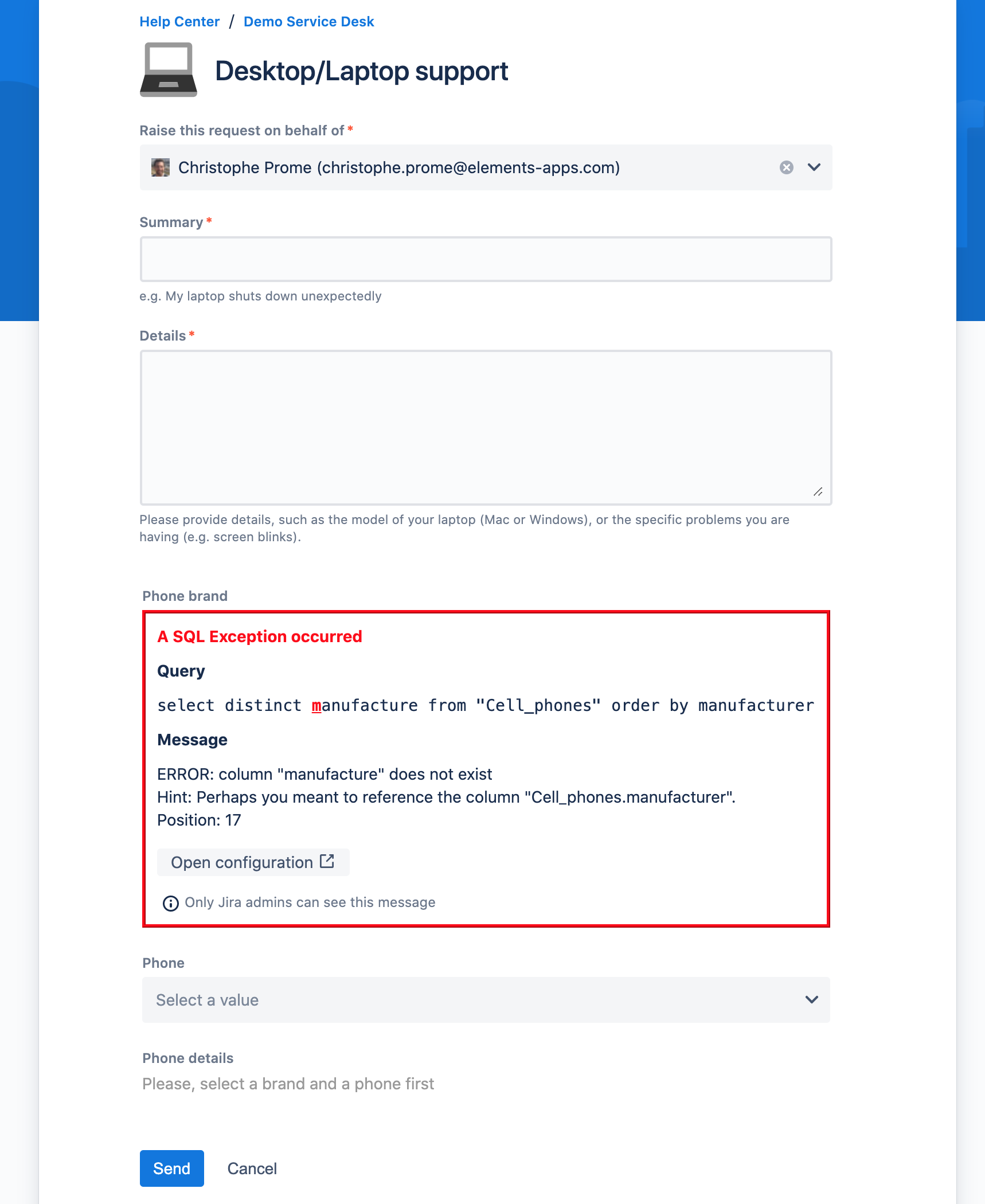
This error message gives valuable hints on the root cause of the error. You can open the field configuration from this error message by clicking on the "Open Configuration" button.
Invalid FreeMarker template
A similar error message is displayed when there is an error during the template evaluation:
Jira admins only
The detailed error message is only visible by users with the "Jira admin" role.
Other Jira users see this error message: 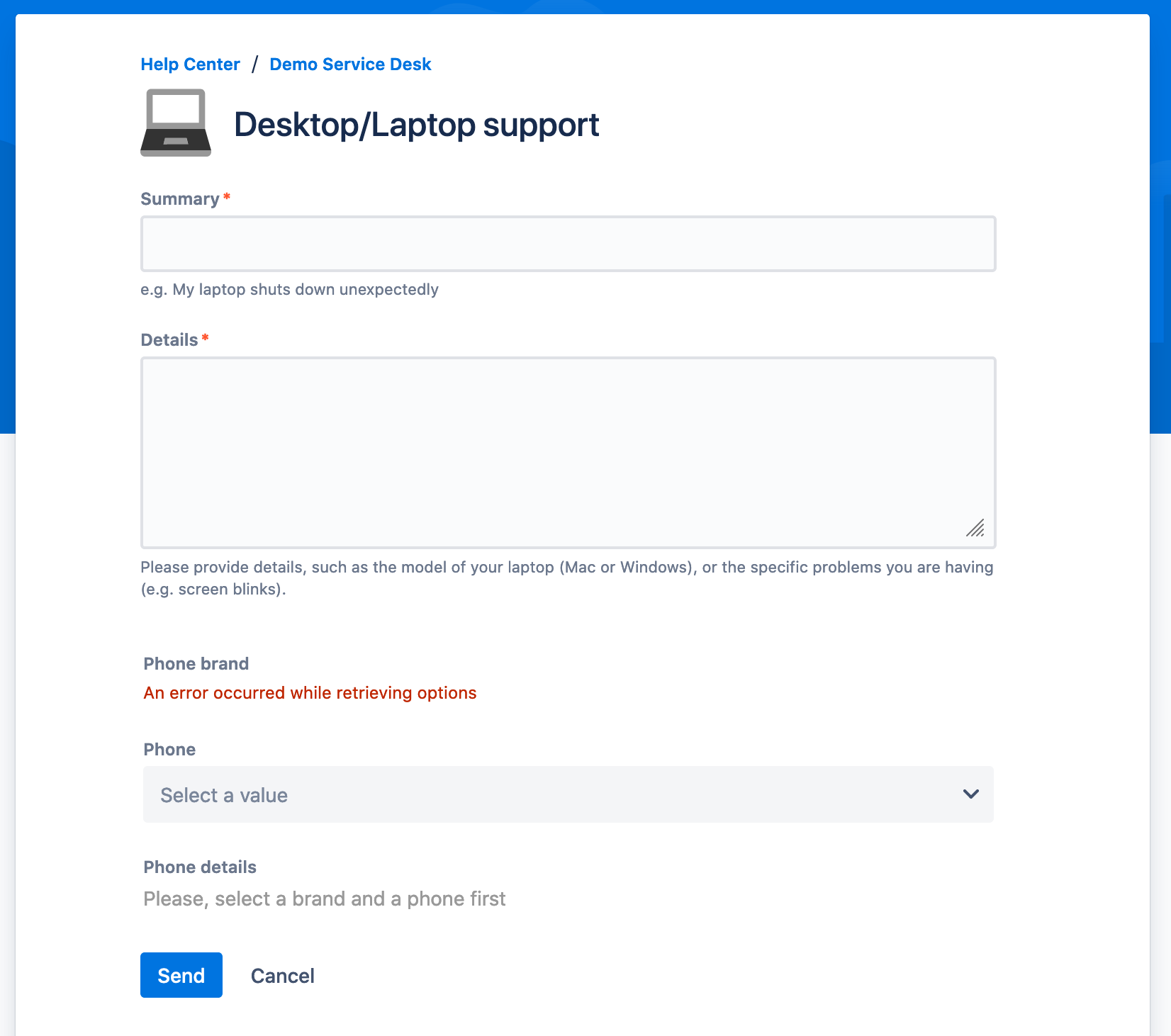
Need help?
We can assist you in the configuration of your Connected Items.
If you can't find out what's wrong with your item configuration, please do not hesitate to contact our support team.