
What is Data Residency?
With Data Residency, you can control where your Elements Connect Cloud data are stored. This will help you meet your company data management requirements.
Note that Data Residency is available for Jira Standard, Premium and Enterprise plans. For more information on Data Residency please review Atlassian documentation.
What regions does Elements Connect Cloud support?
For now Connect supports :
-
USA (North Virginia AWS region)
-
Germany (Frankfurt AWS region)
-
European Union (Frankfurt AWS Region)
Atlassian offer additional regions. If you have any specific needs to host your data in another region, please feel free to contact us.
What app data are affected by Data Residency ?
|
APP DATA |
DATA RESIDENCY SUPPORT |
|---|---|
|
Data sources configuration |
|
|
Connected fields configuration |
|
|
Data stored in Connected fields |
|
Check current realm
-
Go to admin.atlassian.com. Select your organization if you have more than one.
-
Select Security > Data residency.
Jira
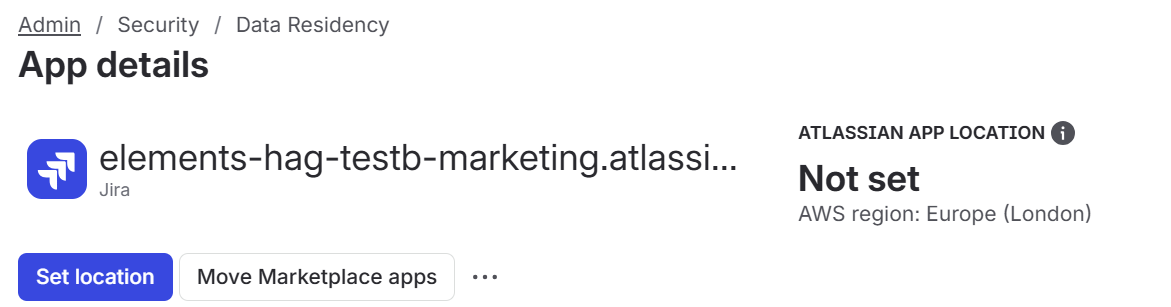
If you did not sit your Jira in a specific regions, it then appears as Not set. This status means your data can move dynamically across various AWS regions, based on operational needs and performance optimization.
Elements Connect
Going a step further, under marketplace apps, you can see Elements Connect application (and helper if needed). If you did not change location for your app, it then appears as Not set meaning Elements Connect data are located in its default region: USA.

How to enable Data Residency for Elements Connect
Data residency is available since Elements Connect 8 (and Elements Connect Helper 17). Make sure you get the version right if you want to change your data residency.
If you want to change your data residency, you must start changing region for your Atlassian apps (Jira). Moving marketplace apps comes in a second time.
Note that, changing location for your Jira application
-
will also move JSM
-
may require a 2 to 3 days window
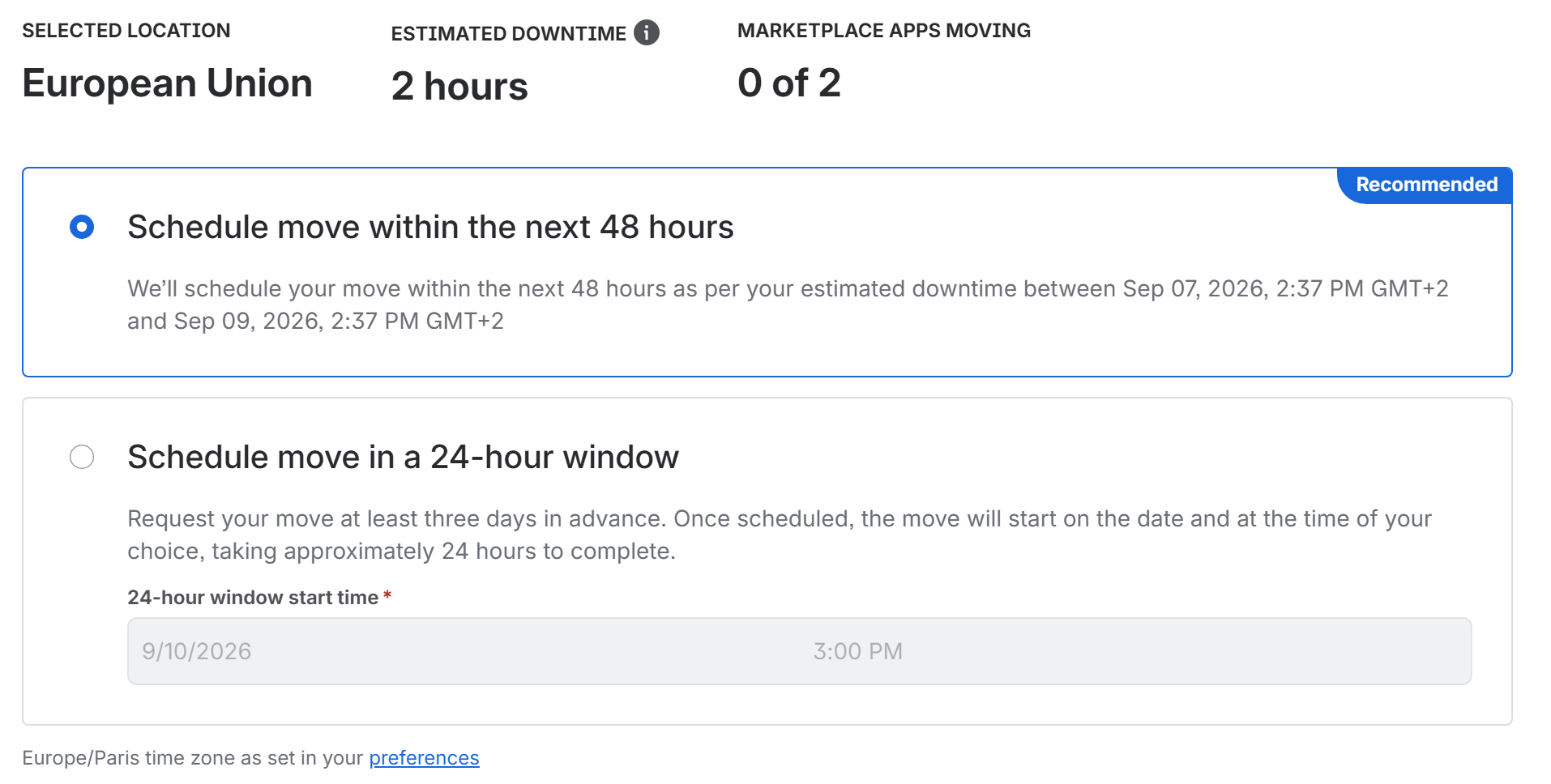
Once your Jira has been migrated, you can decide where to locate your Elements Connect application.
1. Case A - Elements Connect fresh install
When installing Elements Cloud for the first time, the app will automatically have its data hosted in the same region as the Jira instance (if this region is supported by Connect).
If the instance region is not supported by Connect, then the app data will be automatically hosted in the USA.

2. Case B - Elements Connect migration
If Elements Connect has already been installed before, you have to migrate your data.
This process is well detailed in the following official Atlassian documentation: Moving your Marketplace apps data to another location.
Here is a quick glance at the process:

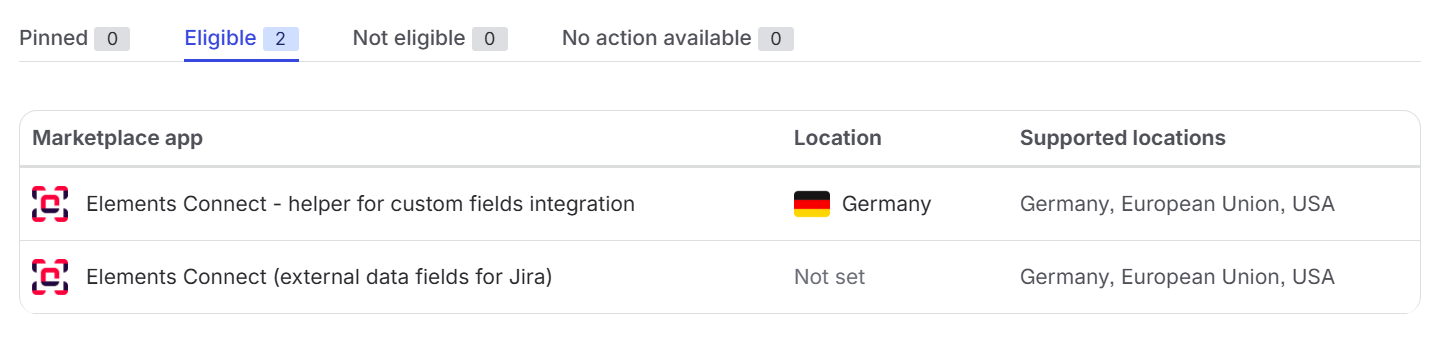
Once your Jira’s officially pinned to given region, Elements Connect is shown as Eligible for migration.

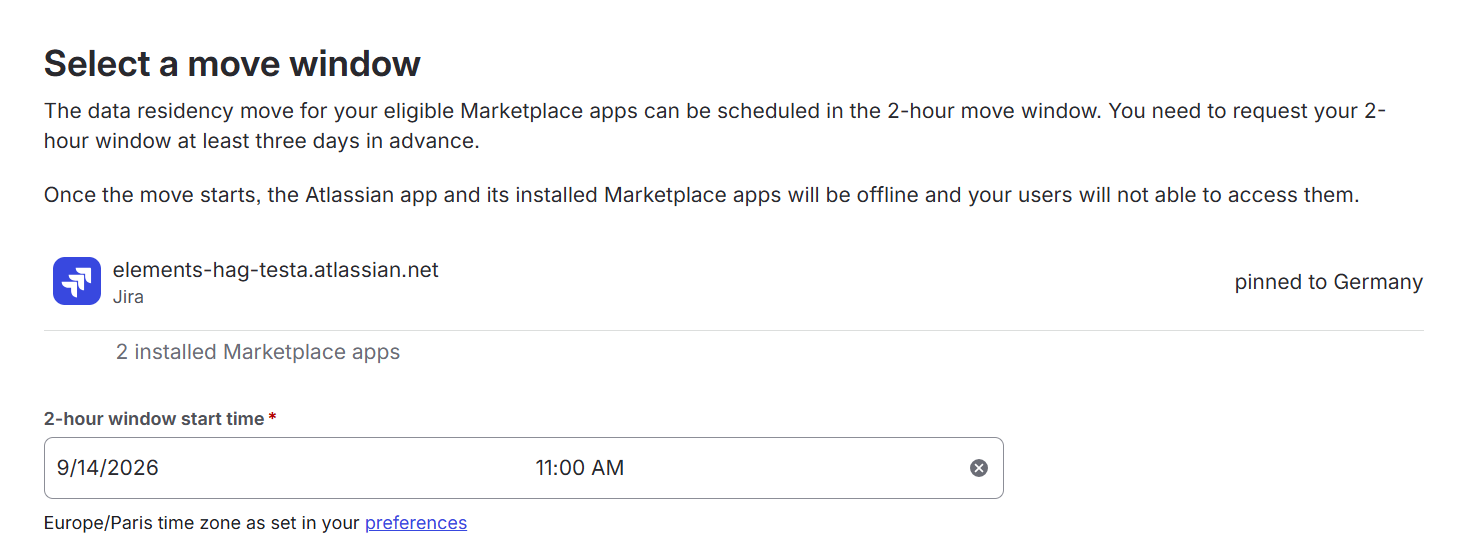
Moving Elements Connect will require you to select a move window.
Note that
-
Data Residency move for Marketplace apps must be requested at least three days in advance.
-
While Elements Connect Cloud is moving its data to the requested location, the product will be offline for up to 2 hours. During this move window, please notify your users and partners that the product will be out of service.
-
Even if you have received a mail confirming your marketplace apps have finally been moved, you may still see your apps under the Elligible tab. Wait a few minutes and they will eventually appear under the Pinned tab.
Data residency impact on Connect configuration
If your organization has configured some origin restriction on your REST API or database, make sure to add our servers IP addresses to your IP allow list. Note that these IP addresses depend on your Connect app’s data residency:
-
-
For app located in US: 52.45.65.15 and 3.223.15.246
-
For app located in GE/EU: 52.29.8.39 and 52.29.120.72
-
FAQ
Where will my app data be hosted if my instance is pinned to a region not supported by Connect?
For a new app install on a Jira instance pinned to a location not supported by Elements Connect Cloud, the app data will be hosted in the US.
For instance migration to a location not supported by Elements Connect Cloud, the app data will remain hosted in the previous supported location (US or Germany) before the migration.
My Jira has been migrated but I can’t migrate Elements Connect.
If you received a mail telling you your Jira migration process has been completed and you started migrating your marketplace apps right away, you may face this message:
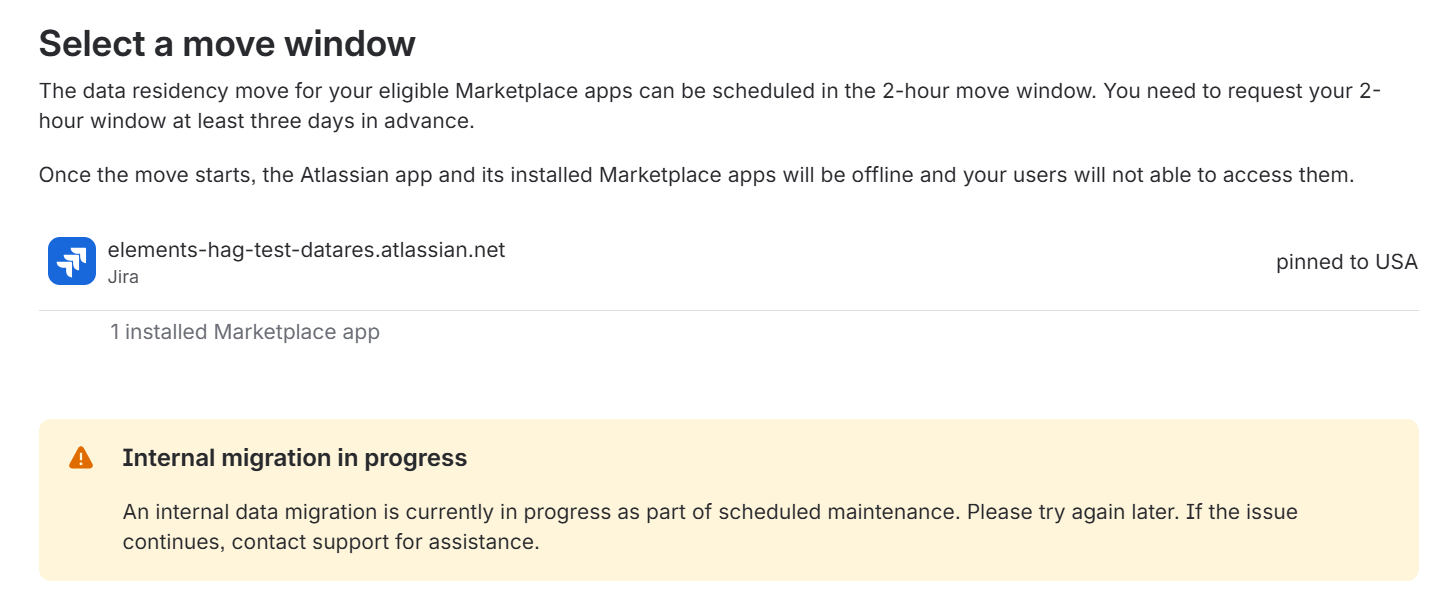
In that case, wait a few minutes before going through the Elements Connect migration process again.
I am still relying on Elements Connect helper app. Will migration also work for this app?
If Elements Connect helper app is installed, you should see it in the list of Eligible apps for migration. Both apps must be migrated together.
I was using Elements Connect but uninstalled it before changing my Jira location.
If you had a Connect Configuration before and you uninstalled the app before moving Jira then reinstalling Connect will be done on your previous region, for you to get back your existing data. If you want to change location for your Elements Connect app and configuration you have to go through the migration process.
Note that if you went through that process with both Elements Connect application and Helper application, interface may suggest that Helper app is now located in the region your Jira runs in (see image below). But that’s not yet the case. Both apps are still in the Eligible tabs, so you have to move the apps to be completely migrated.
What happens to my data in the other region after I migrated
Following Atlassian’s policy, all region where app is uninstalled will see their data deleted after 30 days.
Check retention policy here
https://doc.elements-apps.com/elements-connect-cloud/what-data-can-connect-store-access