
The Configuration tester is a built-in feature that lets you validate your Elements Connect configuration in real time, before saving your data source, connected custom field, or connected item. It runs your actual query against your data source and displays the response, so you can catch errors and refine your configuration without trial and error.
Data source connection
When setting up your data source, you can test the connection to your database or REST API directly within Elements Connect. This first step ensures your connection settings (host, credentials, endpoint) are correct before configuring any field.
Learn how to configure your datasource here 👉 Data sources configuration
The elapsed time displayed on the configuration tester includes:
-
Query Sending: Time from executing the query until your server receives it.
-
Query Processing: Time your server spends answering the query.
-
Response Retrieval: Time for the response to travel from your server to Elements' server.
-
Data Processing: Time spent parsing and transforming the data.
Connected fields configuration
Basics
For Custom Fields (CF) and Connected Items (CI), you can test SQL queries and API calls simply by clicking on “Run” in the results section to verify that the data is fetched correctly and the configurations are accurate.
Four tabs are available for you to check each steps of your configuration process.
|
TABS |
CONFIGURATION STEP |
DETAILS |
|
|---|---|---|---|
|
REST API |
DATABASE |
||
|
Call parameters |
Database query |
Query |
Check provided query |
|
Full API Response (JSON) |
|
Query |
Check response status and data Max 1000 results exposed |
|
Transformed JSON |
|
Filter |
Check filtered result after applying your JSONPath |
|
Preview |
Preview |
Display |
Check template |
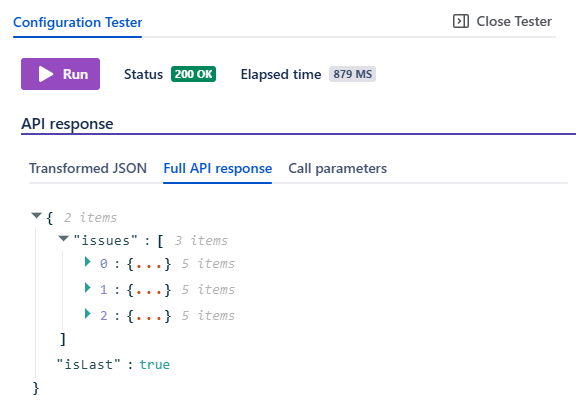
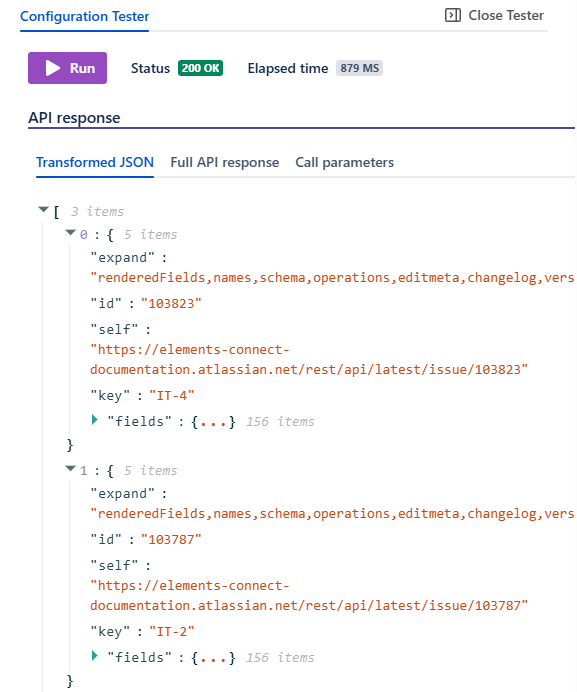
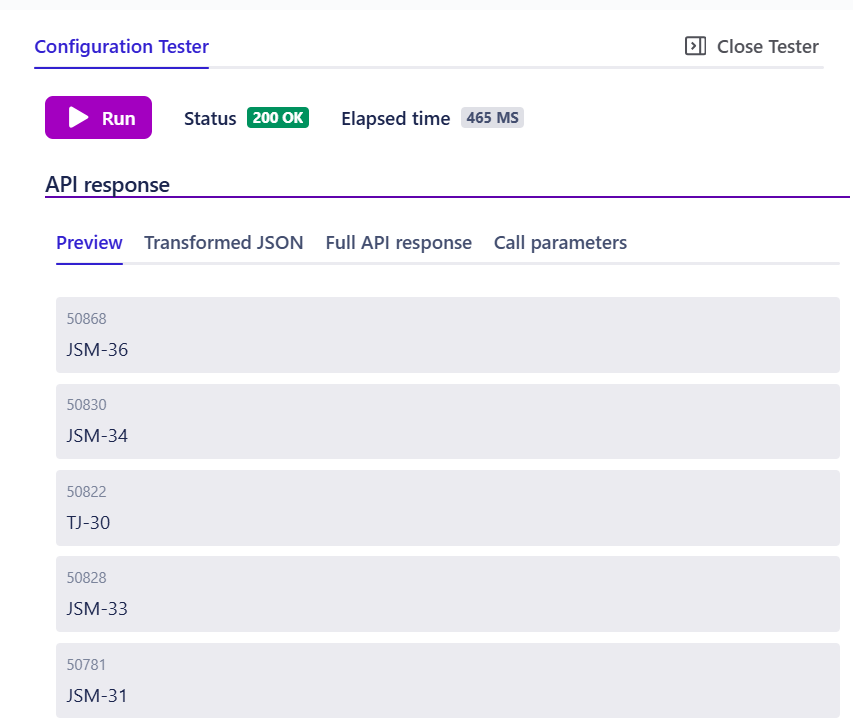
Here is what it looks like for a REST API data source
Full API response
Transformed JSON
Preview
With dependencies
When you are configuring dynamic queries, i.e. connected fields with dependencies, you have the ability to replace the values of dependencies during testing. This allows for dynamic testing of how different dependency values affect the results and ensures that all scenarios are covered.
Issue Picker with Freemarker
When configuring a connected custom field with FreeMarker enabled, an issue picker is available, composed of two dropdowns (project and issue). After selecting a project and an issue, click Run, and all the query dependencies are resolved using the values from the chosen issue.
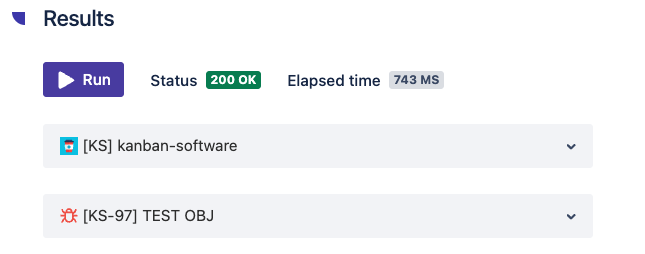
This is particularly useful when your query uses dependencies like $issue.summary, $issue.customfield_XXXXX, or $currentUser.accountId, the picker lets you simulate the exact context of any issue in your Jira instance.
Dependencies inputs without Freemarker
If your connected field doesn't use FreeMarker, you can enter dependency values manually in dedicated input fields.
Please note cached data is not used in the tester.
Known limitations
-
Field type is not validated during testing. When testing dependencies, you need to know whether the dependency field is of type Object or Snapshot and provide the appropriate value manually. Read more: Connected custom field storage type choice
-
POST method request body dependencies are not recognized by the tester. However, this doesn't prevent you from using dependencies in the request body, they will work when the field is actually used.
-
Some dependencies are not handled in the testing environment when using Freemarker:
|
Dependencies not supported by the tester |
|---|
|
|
|
|
Frequently asked questions
What can I test with the Configuration tester?
You can test data source connections, SQL queries, and REST API calls, for both connected custom fields and connected items. Queries with dependencies can be tested with real Jira context via the Issue picker (FreeMarker-enabled fields) or with manual inputs.
Does the Configuration tester use cached data?
No. Every test query is sent fresh to your data source, so results always reflect the current state of your source.
Can I test queries that reference the current user or issue context?
Yes. For FreeMarker-enabled fields, the Issue picker lets you select a specific project and issue — all query dependencies are then resolved using that issue's context.
Why doesn't the tester validate my POST request body dependencies?
The Configuration tester currently doesn't recognize dependencies used in POST method request bodies. Your dependencies will still work at runtime when the field is used, this is a tester-specific limitation.
Can I test the template rendering (look and feel) with the Configuration tester?
Yes. Check the preview tab.