
What is a "Clone and move work items" recipe?
Elements Copy & Sync can be used in several ways to copy Jira work items. Depending on their needs, Jira admins may want to give more or less freedom to their end-users in regards to how the work items can be copied. Indeed, whereas classic recipes are meant to let Jira admins configure precisely their copy and synchronization options, "Clone and move work items" recipes let users decide what they want to copy.
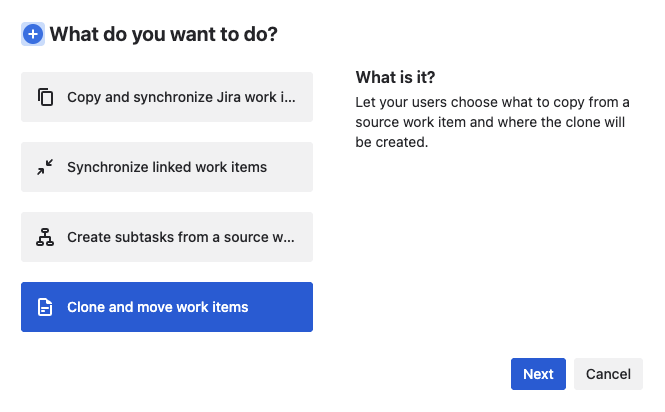
When users trigger a "Clone and move work items" recipe from a Jira work item, they can select what they need to retrieve from the original work item, and where they want the clone to be created:
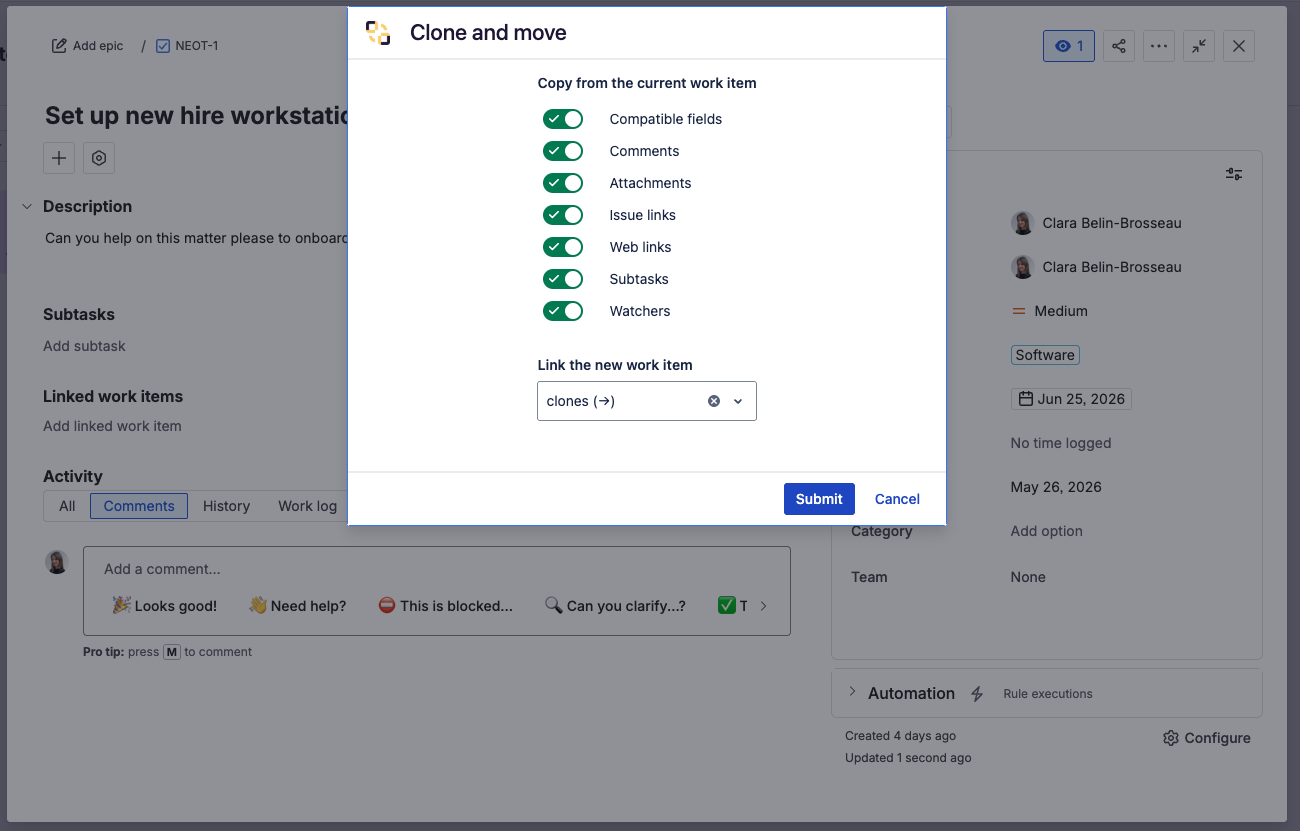
If they need to use a different link type or clone the work item in a different space and with a different work item type, users have the ability to decide, just before the clone work item is created.
Recipe configuration
By default, these recipes are meant to replicate the "Clone" and "Move" options available natively in Jira and let users do them in one single action instead of two. However, admins have the ability to customize these recipes in order to make them even more useful :
-
The Source tab allows admins to restrict on which work items a Clone and Move recipe is available. It is configured exactly as the Source settings of a regular Copy & Sync recipe.
-
The Target tab allows admins to restrict where a work item can be cloned. It is configured exactly as the Target settings of a regular recipe, except that the "Multiple work items creation" and "Monitoring" options are not available and it is not possible to select a "Project Picker" field as a target.
-
The Triggers tab allows admins to restrict which users can trigger the recipe. It is configured exactly as the Triggers settings of a regular recipe, except only the "Limit which users can trigger the recipe" option is available, and these recipes cannot be triggered by post-functions or in search results.