While searching for issues through JQL queries, you can manipulate Elements Connect customfield to better filter your results.
Specific case of table component
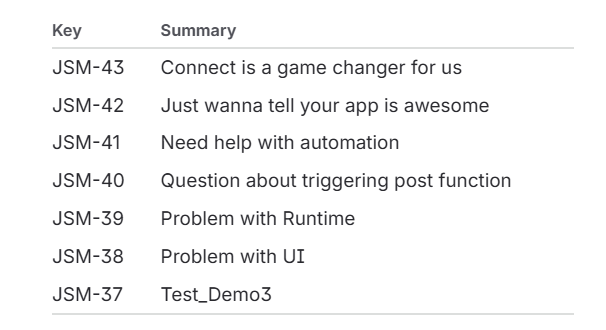
Let’s take the example of a table gathering issues Key and Summary. This would look like this.
1. Using table field attribute Col1, Col2, Col3, Col4, Col5
If you have a table field in your issue, you can filter according to the content of your table columns.
To do so, you can access the column as an attribute of your table field writing e.g. myField.Col1. As table are limited to 5 columns, you can navigate through all of them with Col1, Col2, Col3, Col4, and Col5.
In example below, field Table contains issues keys (Col1) and associated issues summary (Col2).
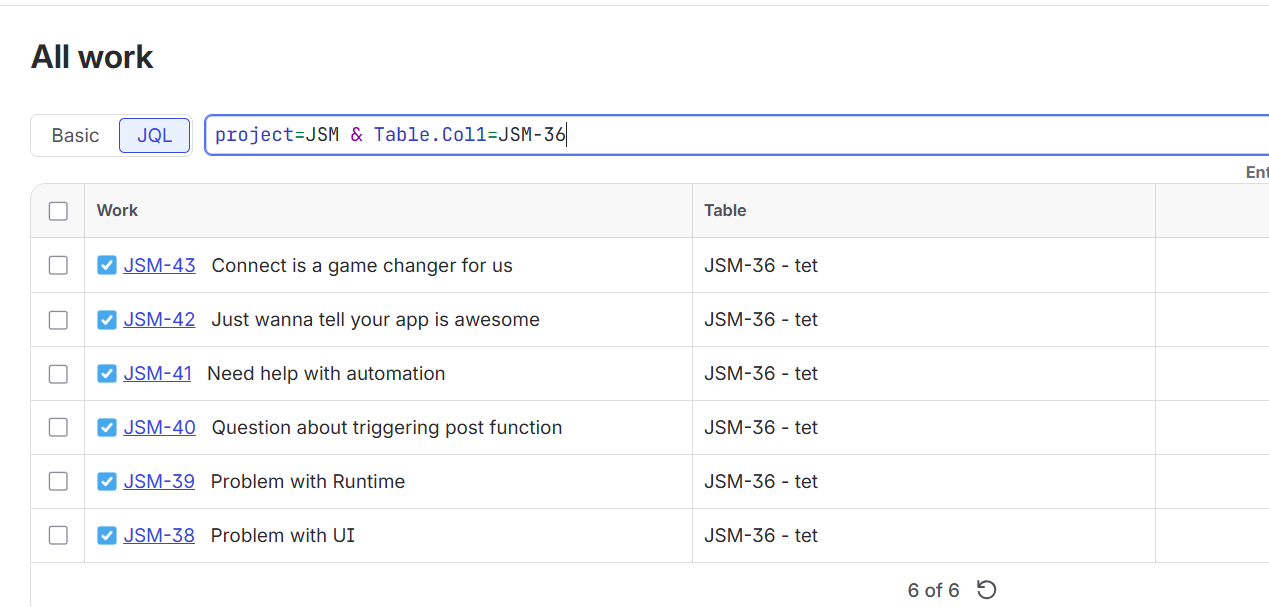
Note that for display simplicity, you are only provided with the first line of the table in the JQL results.
If you changed the order of your columns in your field configuration but did not updated your issues using e.g. post functions, you may not get the same mapping in create/edit or JQL search view.
2. Using tableColumn JQL function
Alternatively, you can leverage the tableColumn JQL function to look for a specifc column by it’s name.
Here is the expected syntax
tableColumn("field_name", "column_name", "value")
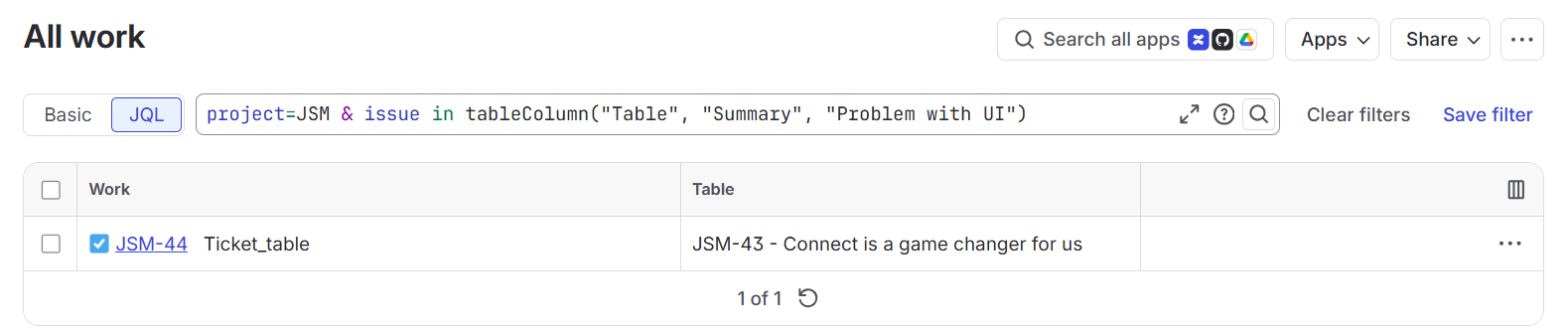
Following our example and looking for all the issues where my field Table have “Problem with UI” in it’s Summary column, we got this