
Once your automation rule is in place, here is what happens from the customer's perspective when a ticket is resolved (or whatever trigger you defined).
How the survey reaches the customer
When a work item transitions to Resolved (or any other trigger you defined), the automation rule enables the survey on the request and publishes a comment, visible to the customer, with a friendly message and a link to the survey.
Taking the survey
The survey can be answered in two ways:
-
Clicking the Answer survey button, which appears directly on the request.
-
Clicking the link included in the comment.
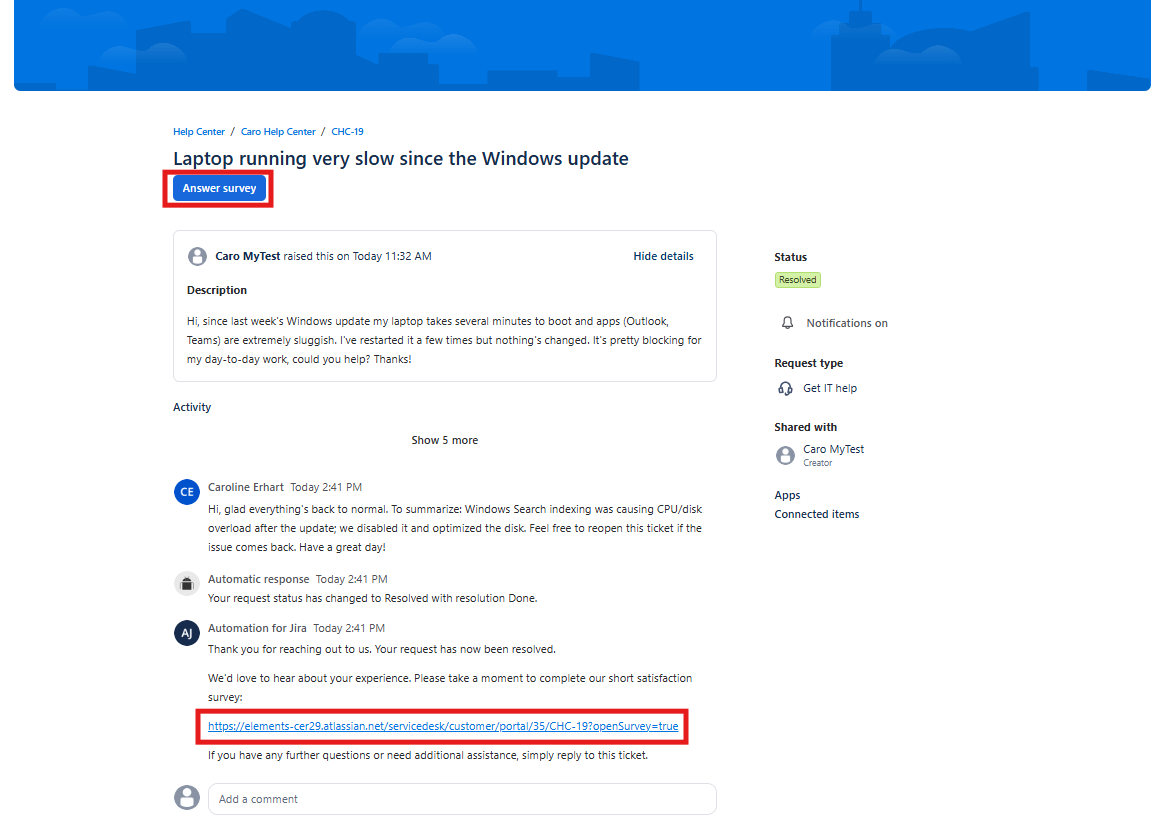
Both open the survey in a dialog, right on top of the request — the customer never leaves the page they're on.
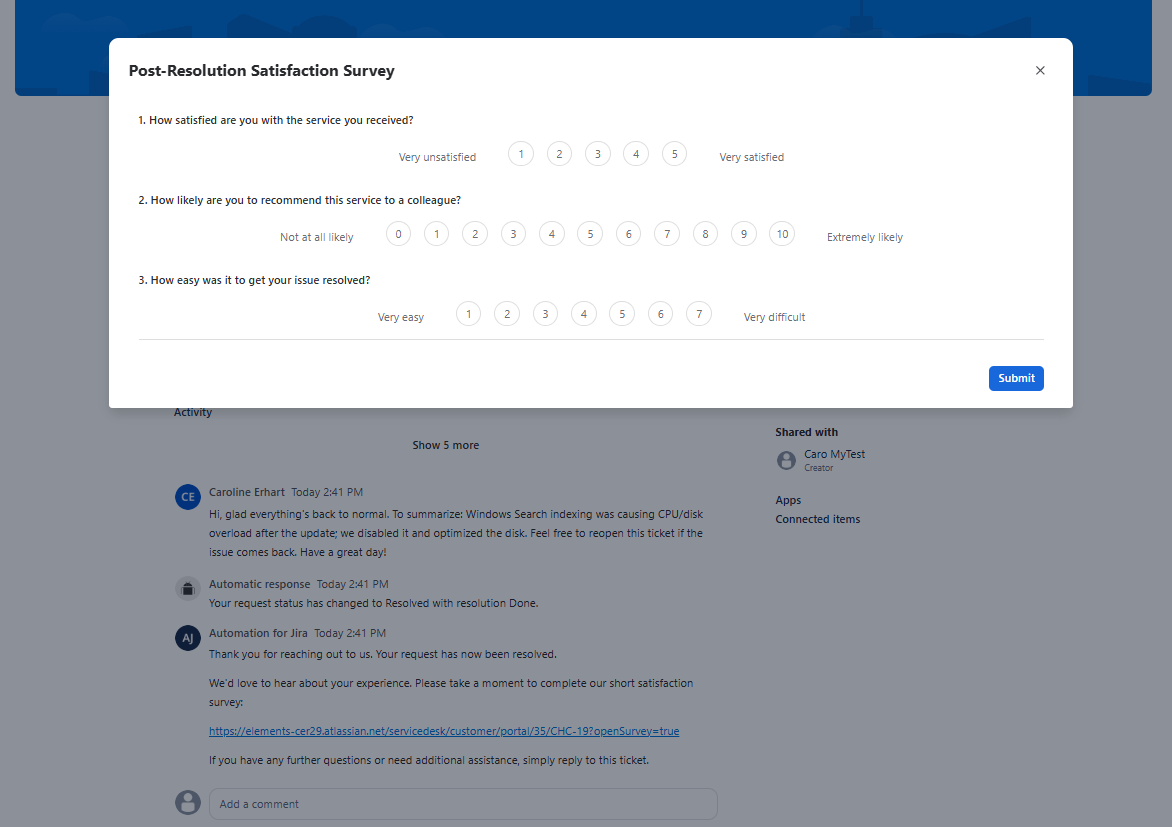
The survey can be completed by:
-
The reporter of the request
-
Any request participants on the work item
A few important rules apply:
-
The survey can only be taken once per work item — once a response has been submitted, it cannot be resubmitted.
-
If more than one survey has been enabled on the same request, only the most relevant one is shown — the most recently enabled survey that hasn't been answered yet, or the most recently enabled one if all have already been answered.
Error messages
When opening a survey link, you may encounter one of the following error messages:
|
Error message |
Cause |
Explanation |
|---|---|---|
|
"Access denied: You are not authorized to answer this survey." |
The logged-in user is neither the reporter nor a request participant on the work item. |
Only the reporter and request participants of the original JSM request are allowed to respond to the survey. If you believe you should have access, check with the person who raised the request to be added as a participant. |
|
"Access denied: This survey is not currently accepting responses." |
The survey is scheduled but the start date has not been reached yet, or the survey has expired. |
The survey is outside its active response period — either it hasn't started yet or it has already ended. Responses are only accepted during the configured survey period. If you're unsure which case applies, check with your service desk administrator. |