
Surveys are key to retrieving accurate experience insights from your employees.
Surveys are key to retrieving accurate experience insights from your employees.
Creating and configuring surveys within Elements Pulse enables your team to collect structured feedback directly within JSM workflows.
Surveys are dispatched through a unique survey link. When clicked from a request, the survey opens in a separate page. Please note that surveys can only be taken by JSM customers who also have a Jira licence.
Survey types available
-
CSAT → scores captured from the basic Jira Service Management CSAT survey
-
CSAT → configurable within Elements Pulse
-
NPS → configurable within Elements Pulse
-
CES → configurable within Elements Pulse
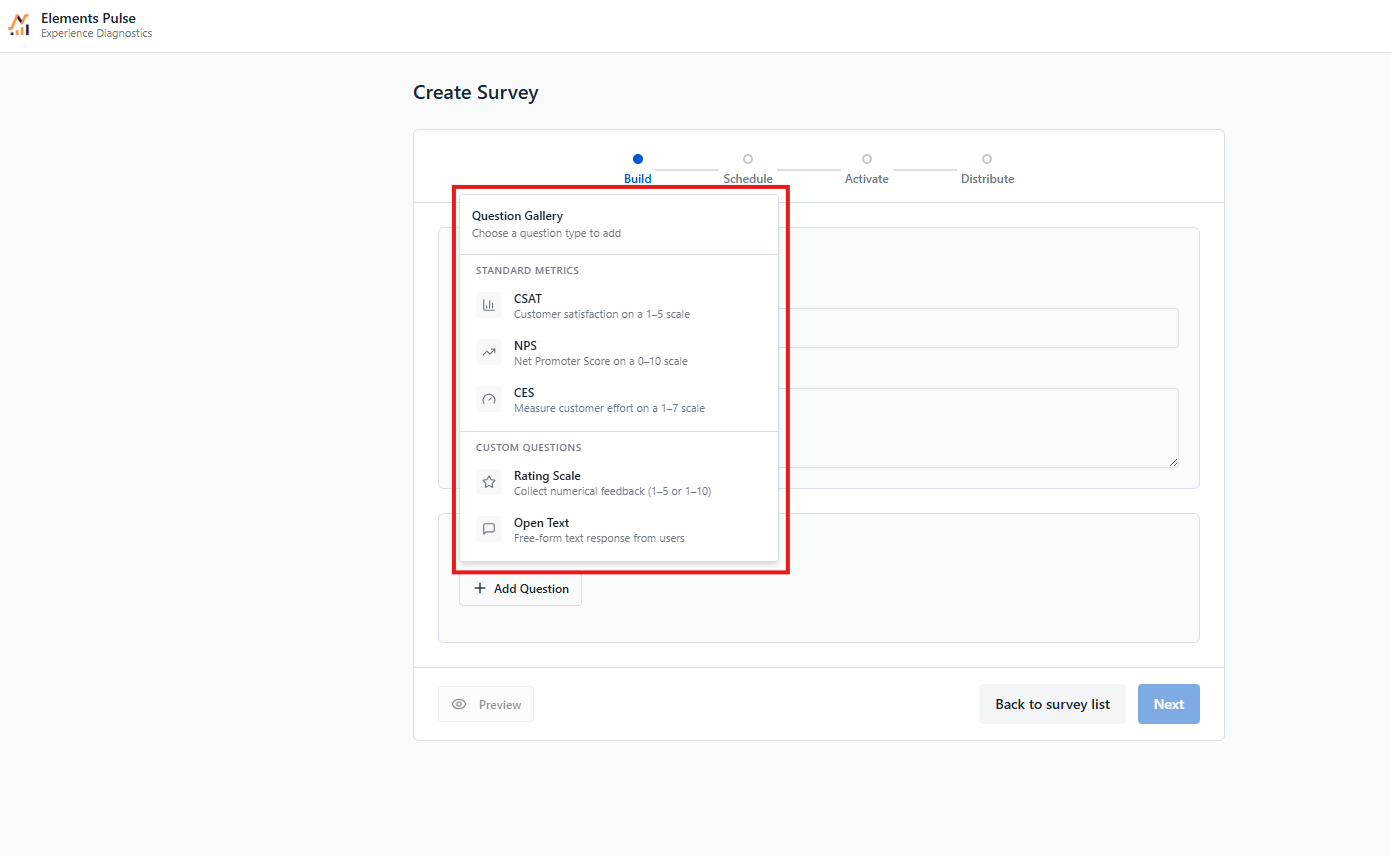
Elements Pulse supports two ways to collect CSAT data: the native JSM survey (imported automatically) and a fully configurable survey built directly in Pulse.
Unlike the JSM CSAT survey, Pulse surveys can include multiple questions and blend different measurement indicators — CSAT, NPS, and CES — in a single survey, allowing you to capture a richer, more complete picture of the employee experience.
In addition to these core metrics, surveys can include rating scale questions and open-text questions to capture richer, more contextual feedback. Note that responses to these additional question types are not included in the Experience Score — they appear separately under Survey Insights.
📢 Looking for another survey type? Feel free to ask for it and help us understand your needs!
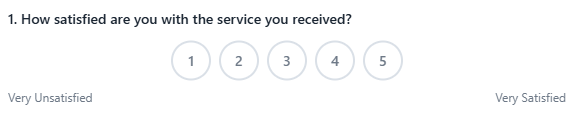
What is the Customer Satisfaction Score (CSAT)?
CSAT surveys measure how satisfied employees are with a specific interaction or service request. After a ticket is resolved, respondents rate their satisfaction on a scale of 1 to 5, where 1 means very dissatisfied and 5 means very satisfied. It's a direct, immediate signal of service quality at the transaction level.
What is the Net Promoter Score (NPS)?
NPS surveys measure how likely employees are to recommend your IT service to others. Respondents answer on a scale of 0 to 10, where 0 means not at all likely and 10 means extremely likely. It's a straightforward indicator of overall service perception and employee loyalty.

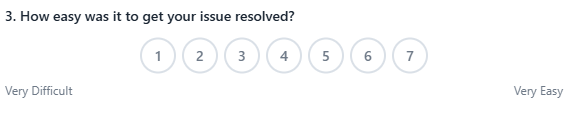
What is the Customer Effort Score (CES)?
CES surveys measure how much effort employees had to put in to get their issue resolved. Respondents rate their experience on a scale of 1 to 7, where 1 means very low effort and 7 means very high effort. A low score indicates a smooth, frictionless experience — making it a strong indicator of service efficiency and ease of use.
To configure a survey:
👉 Learn more about