
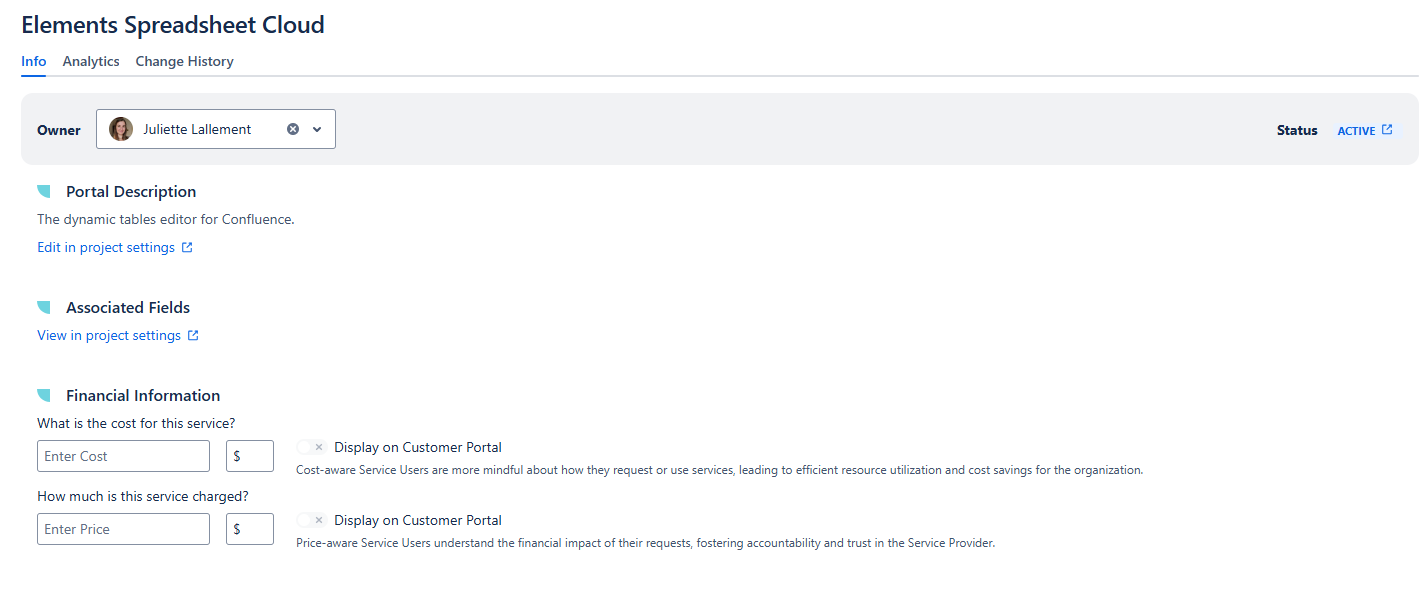
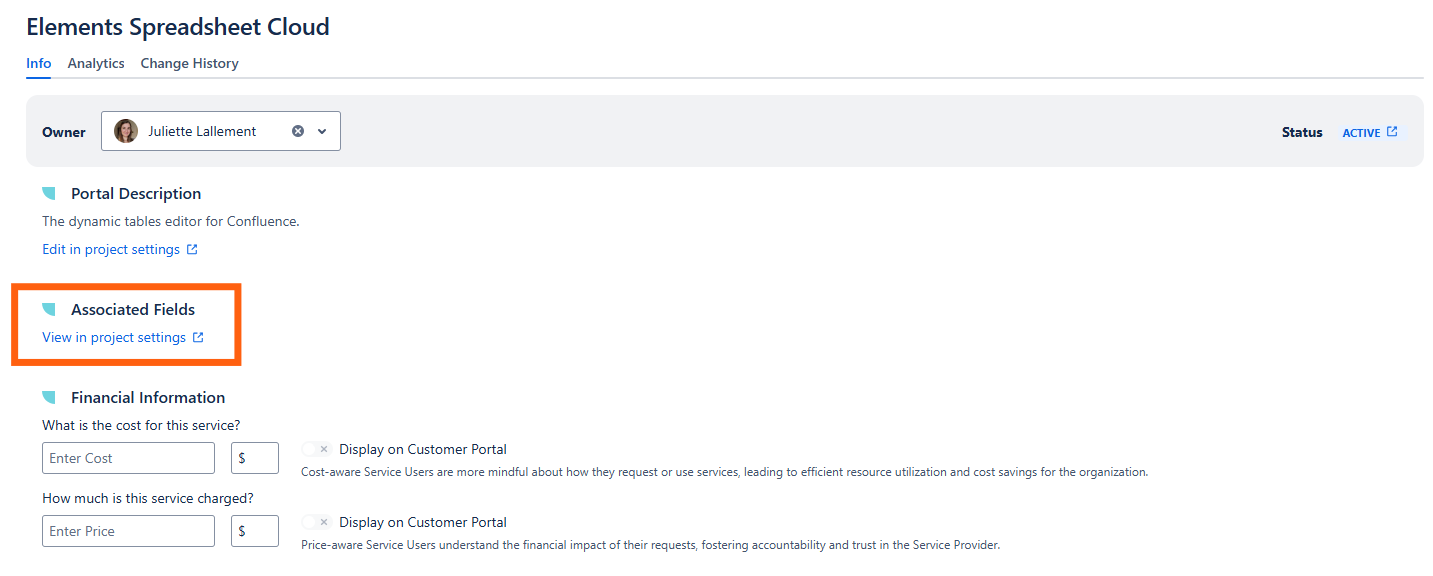
You can view and manage all details of your service catalog item from this screen. You can add key information such as service owner and financial details such as cost and price to keep your catalog accurate and complete.
Service Owner
Elements Catalyst allows you to define a Service Owner that ultimately is accountable for the service accuracy, performance and lifecycle. The Owner needs to be an active user.
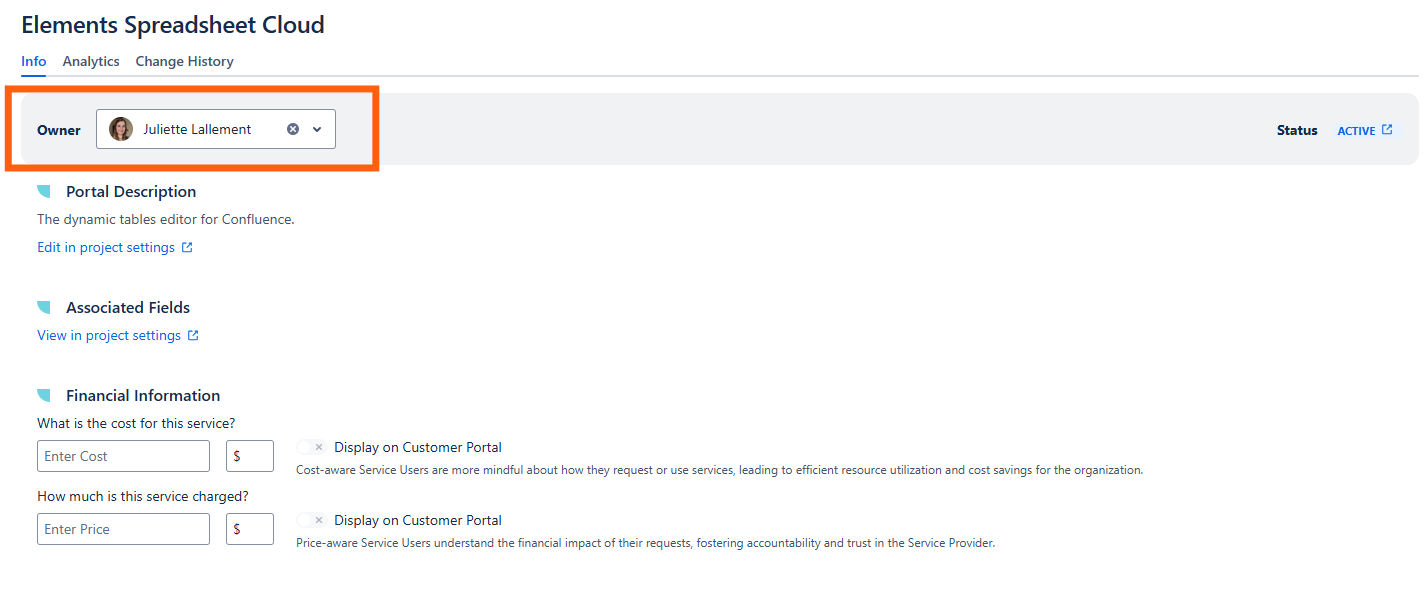
Lack of ownership is not uncommon across the board and can lead to outdated service data, inefficiencies, and poor user experience. By clearly defining ownership, organizations can improve accountability, service quality, and overall IT governance.
Status
When the service is on offer - i.e. is listed on the organization’s service catalog -, the status is Active, which means the service can be requested from the Customer Portal.
When the service is hidden from the Customer Portal, the status is Inactive.
Clicking the status will open the relevant request form in the Customer Portal.
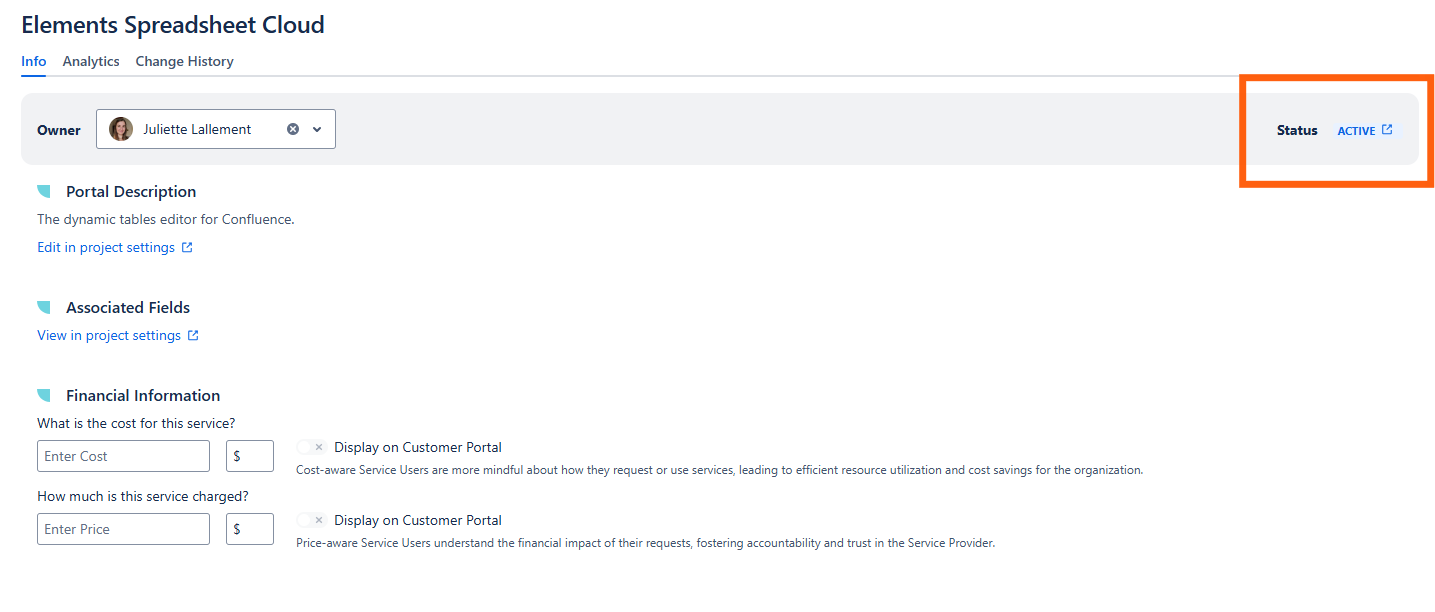
The Service Status is a critical attribute in service catalog management, as it provides visibility into the lifecycle and availability of each service. It helps service owners, IT teams, and stakeholders understand whether a service is active, in development, deprecated, or retired.
Portal Description
The service description is displayed from the JSM project settings for clarity and understanding. It cannot be directly edited from the app’s Service Info screen but a link to the request type form configuration page is provided for convenience.
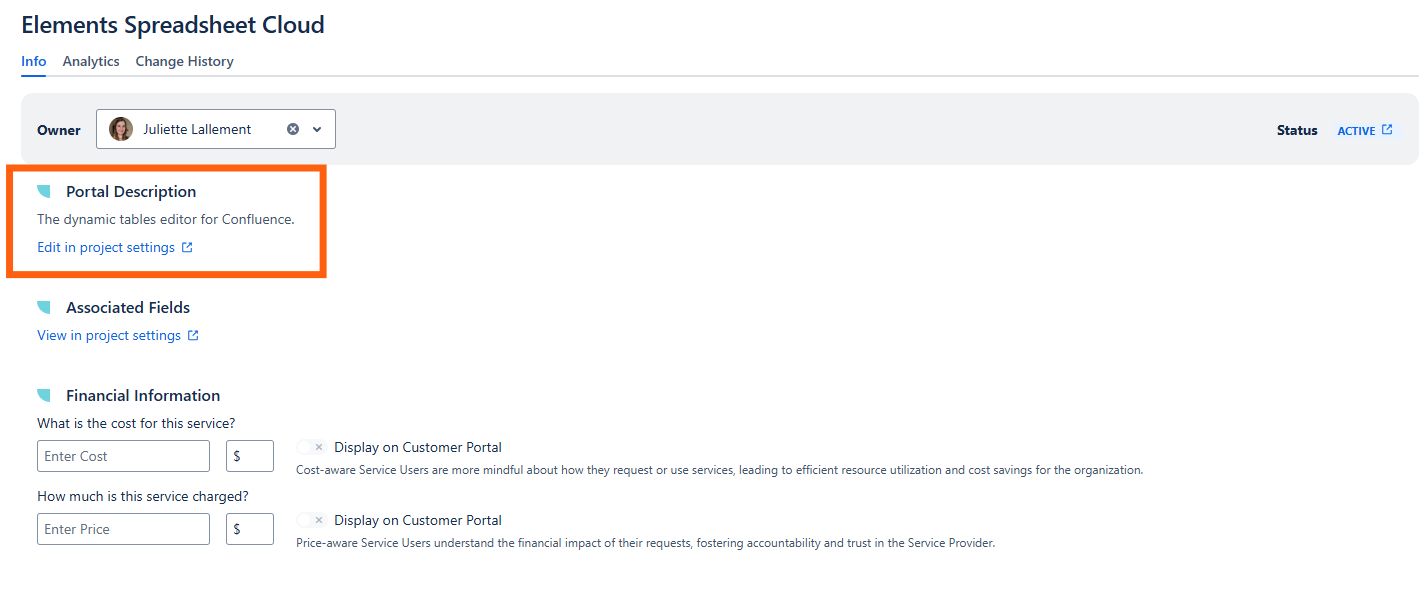
The service description provides a clear, concise explanation of what a service does, who it serves, and any key details users need to know. A well-crafted service description ensures that stakeholders—from end-users to IT teams—understand the purpose, value, and scope of each service.
Associated Fields
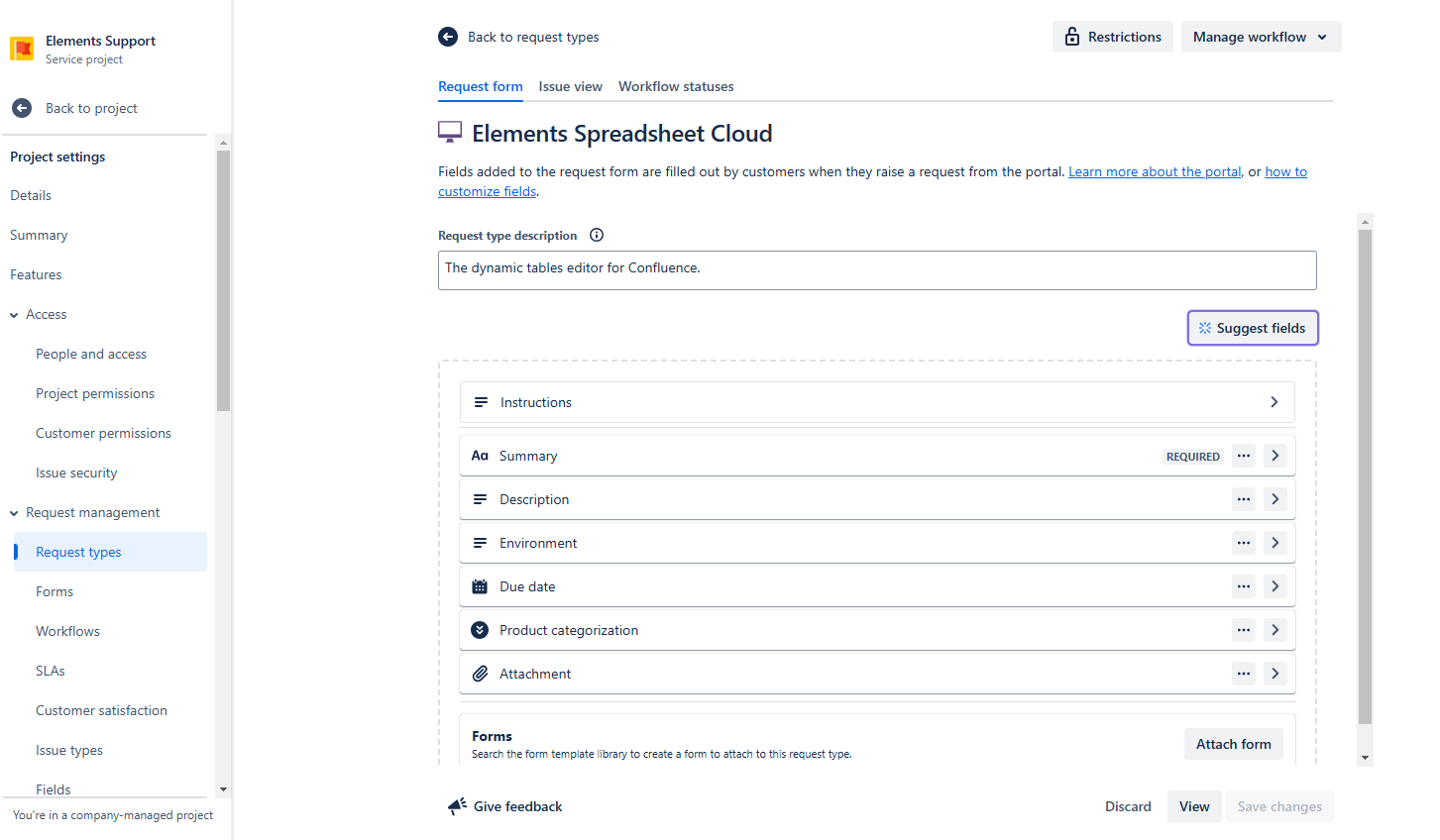
Elements Catalyst does not manage service fields as these can already be added to the request type from the project settings. A link to the request type form configuration page is provided for convenience.
Fields describing a service are the structured attributes that provide essential information about a service catalog item. These fields ensure that all relevant details are consistently captured, making services easier to understand, manage, and optimize.
Service Details in Elements Catalyst
Request type configuration form from Project Settings
Financial Information
Cost
Service Owners can enter how much it costs to deliver the service. For now, this cost can only defined in monetary value, more measuring units will be considered in the future.
This cost is used to compute the total cost of the service and the average cost per ticket over a given period (refer to Analytics for more information) and helps organizations assess whether the service is cost-effective or if alternatives should be considered.
Price
Service Owners can also enter the amount charged to internal or external users for consuming the service.
This Price is used to compute the total revenues for the service (refer to Analytics for more information), supporting charge back (where costs are billed directly to departments or teams). It helps organizations improve financial accountability, and Service Owners can demonstrate value to stakeholders.
Display the Cost or Price on the Customer Portal
You can choose to display the cost or price on the request form from the Customer Portal. Simply enable the relevant toggle, you will be prompted to confirm this action.
The Cost or Price that was defined in Elements Catalyst at the moment of the request submission will be displayed and saved. Any subsequent changes in the Cost or Price won’t impact existing requests.
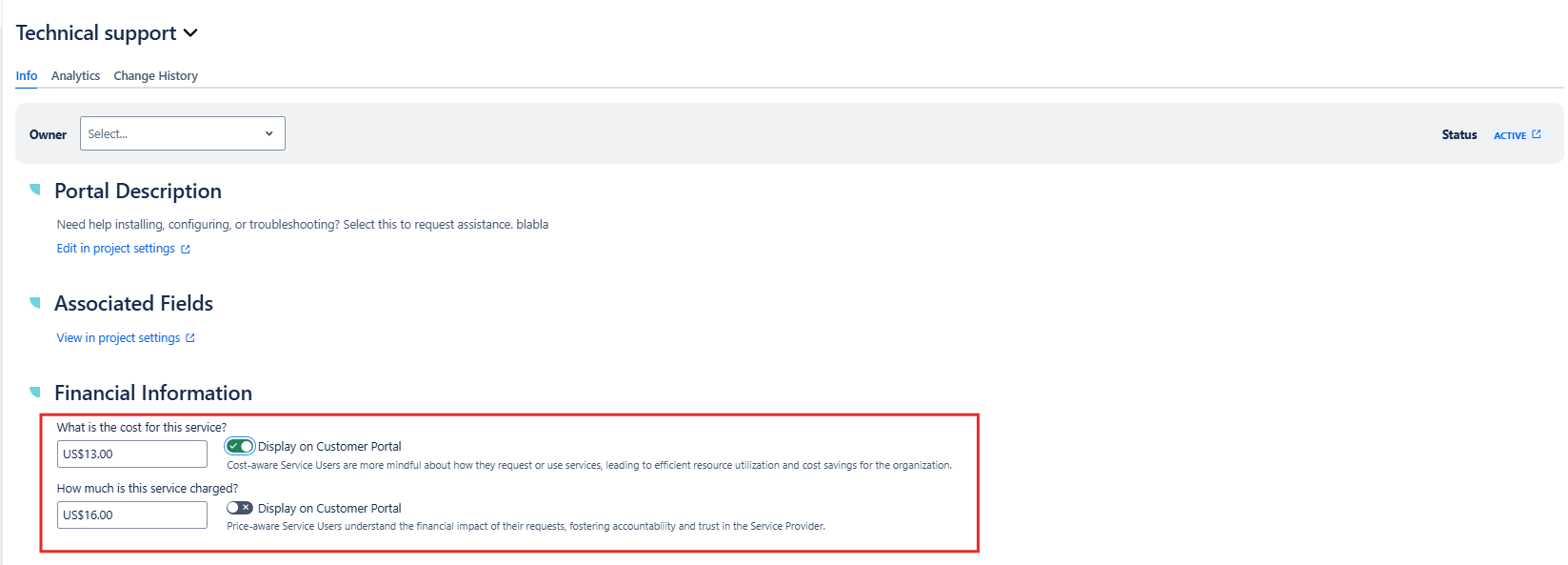
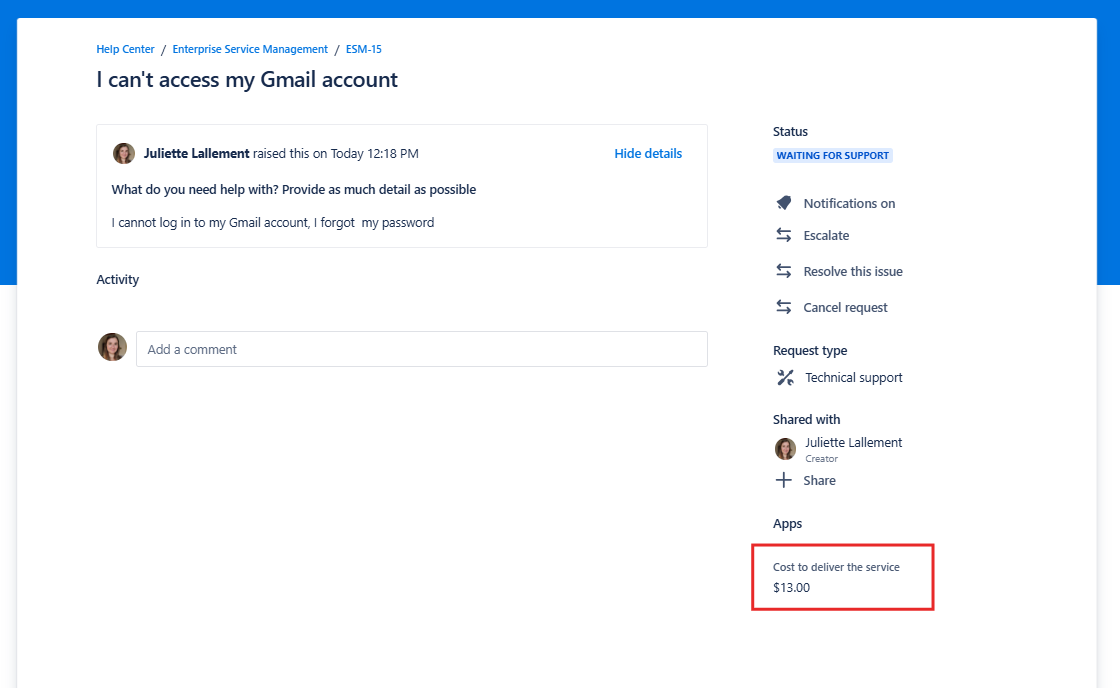
Financial information, such as cost and price is a crucial component of a well-managed service catalog.
By maintaining accurate financial information, organizations can make data-driven decisions, control costs, and ensure sustainable IT service delivery.
Cost-aware service users are more mindful about how they request or use services, leading to efficient resource utilization and cost savings for the organization.
Price-aware service users understand the financial impact of their requests, fostering accountability and trust in the Service Provider.
Attached Form
If a Form is attached to the request type, it will display in this section along with the date it was last updated and its settings.
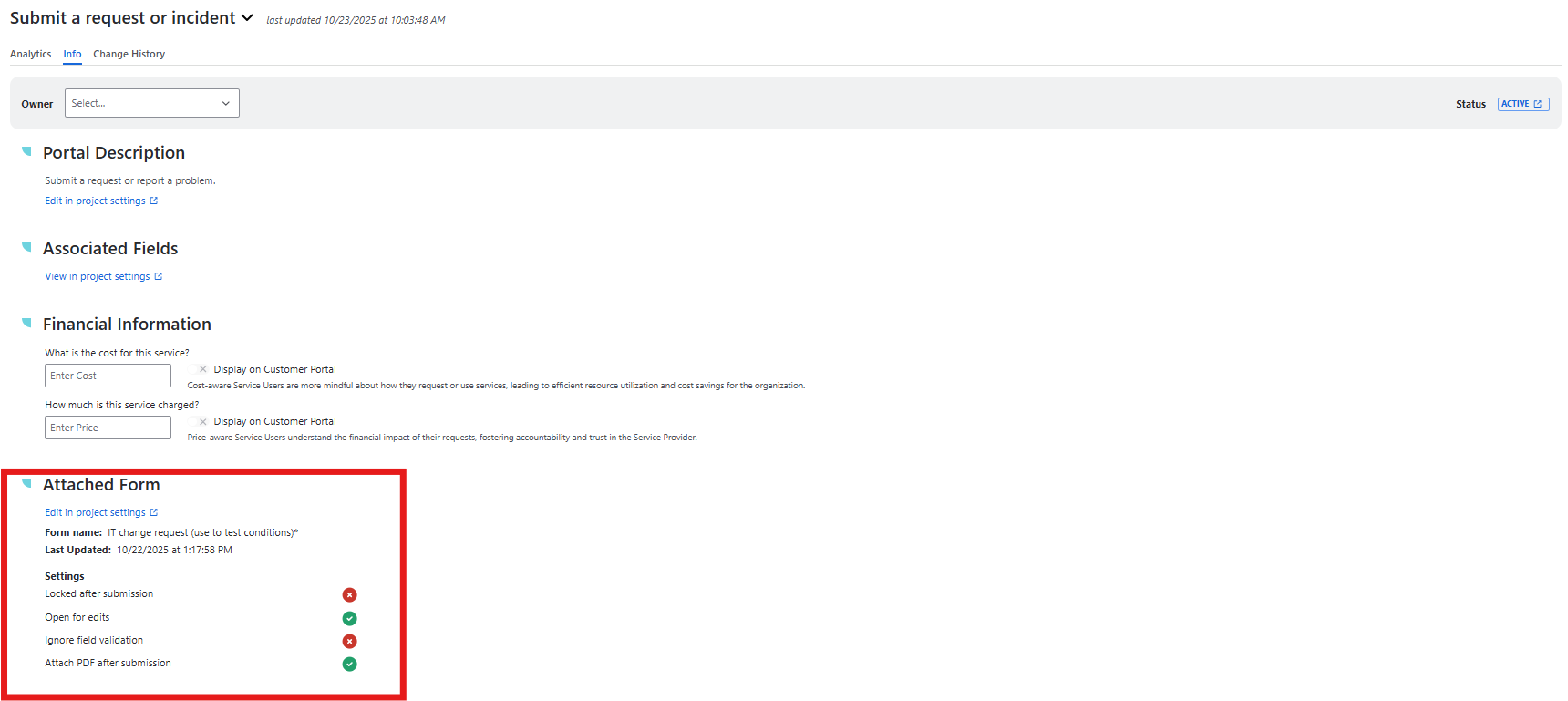
In the Analytics tab, you can learn more about how your Form is performing for customers in the Form usability metrics section.