
In Elements Connect (Data Center):
-
Go to the "Migration to Cloud" tab.
-
Select the projects from which you want to migrate Elements Connect field values.
If no project is selected, no Elements Connect values are migrated.
-
Save your selection.
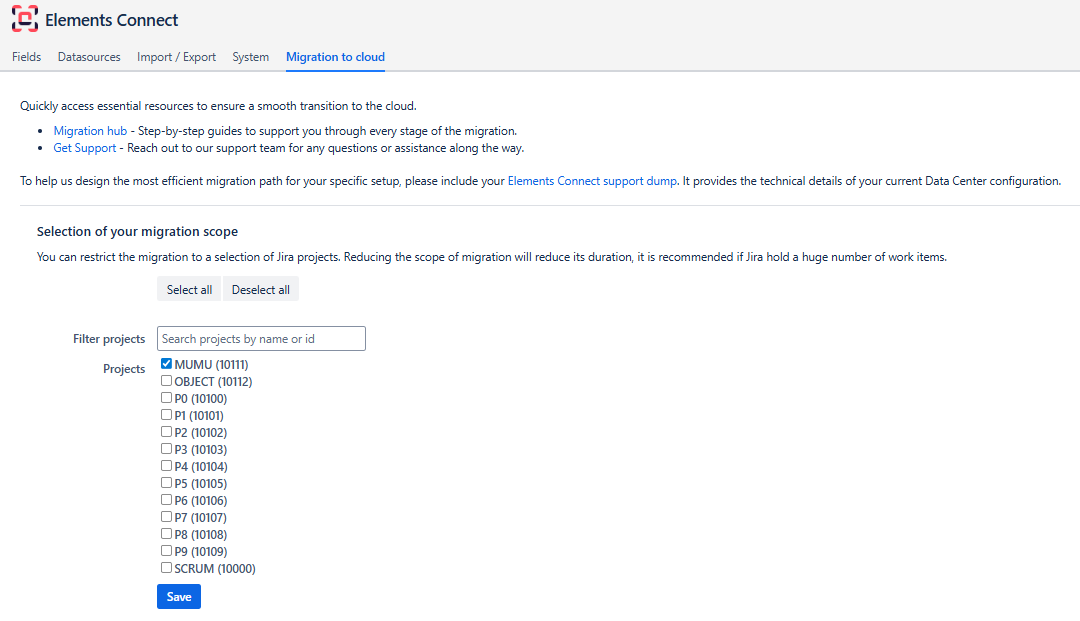
Selected projects must either be already created on Cloud site, or selected to be migrated in dedicated JCMA step. Otherwise Elements Connect values will not be migrated.
If your Jira instance contains a large number of issues, we recommend limiting the migration to a subset of projects to:
-
Reduce migration time
-
Reduce load
-
Simplify troubleshooting
All Connected fields added to projects will be migrated.
You will not be able to select the specific fields to migrate.
After configuring which Elements Connect values will be migrated, next step is: 02 - Run the migration in JCMA