Symptom
Your field falled in the In Error section within Elements Connect Admin.
Reason #1
Symptom
Your field falled in the In Error section with message Dependency on a field managed by a different app

Cause
Well, for users who have been using the app before Elements Connect 7.0.0, you may now have 2 kind of custom fields:
-
A - Custom field created after the update to Connect 7.0.0
-
B - Custom field created before the update to Connect 7.0.0
(helper’s legacy)

Although there are no actual differences between how the fields are configured or behaving in your Jira issues, there is one thing you can’t do: Create dependencies between one another.
If you try to create a dependency between custom field A and custom field B (or the other way around)
-
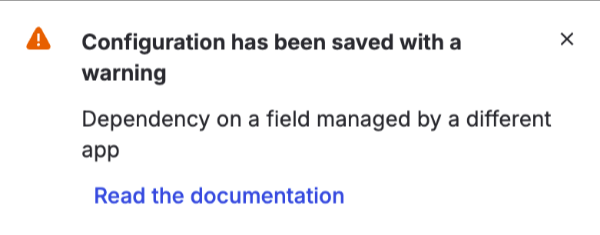
You will get a warning message after saving your field configuration
-
Your field will be listed in Error with following error message:
Dependency on a field managed by a different app.
Reason #2
Symptom
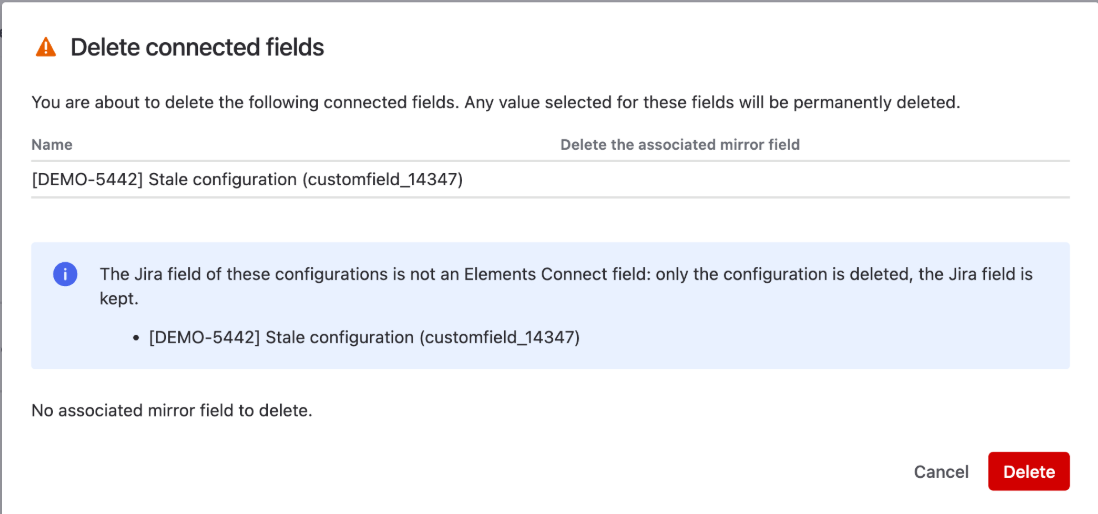
Your field is listed in the In error section of the Connected fields page, with the message Not a connect field.
Cause
The Elements Connect configuration points to a field ID that now belongs to a field that isn't an Elements Connect field: a native Jira field, or a field from another app.
This may happen after a sandbox refresh or a site migration: Jira re-created fields and gave this ID to another field. The configuration is still there, but it's no longer attached to any Elements Connect field.
What to do
You can safely delete this configuration.
Deleting it only removes the Elements Connect configuration. The Jira field that now uses this ID, and all its values, are not affected.
-
Go to the Connected fields page.
-
In the In error section, find the field with the message
Not a connect field. -
Delete its configuration.