
Once active, you are guided through setting up a JSM Automation rule to send the survey link to employees when a ticket is resolved.
-
Head to Automation and create a new rule (or update an existing one) — use the Open Automation Configuration shortcut to get there directly.
-
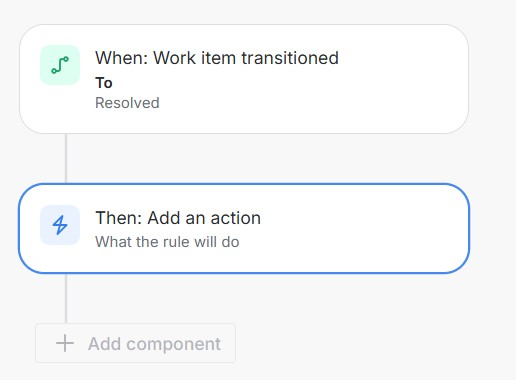
Select the trigger. Choose Work item transitioned, and set it to the status that should enable the survey — typically Resolved.
-
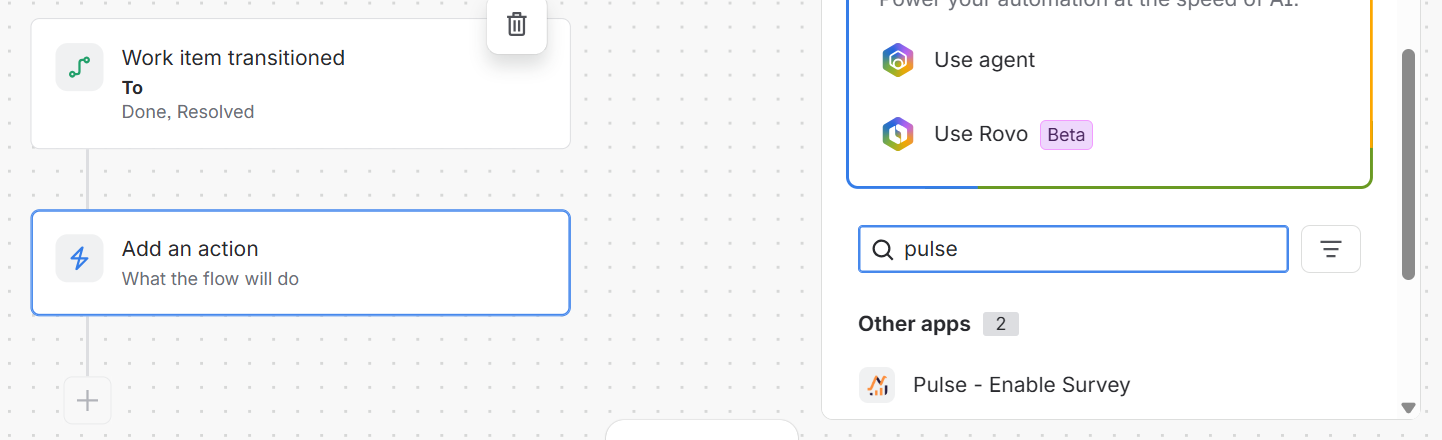
Add the Pulse action.
-
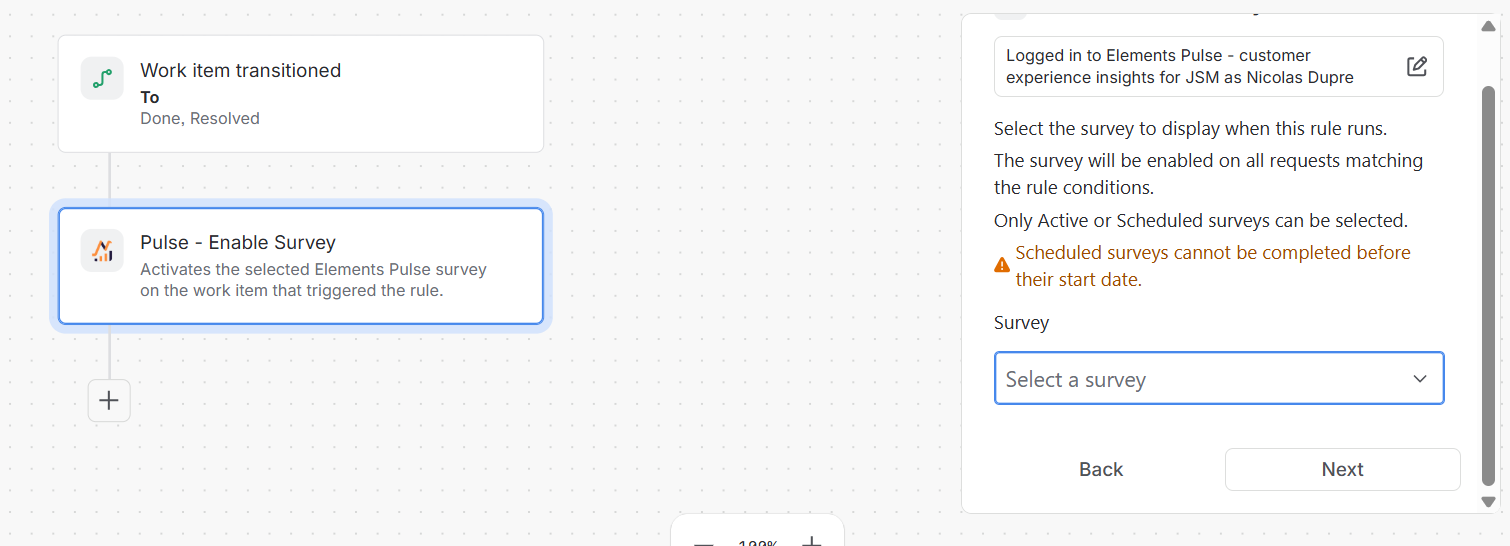
Search for and select Pulse - Enable Survey.
-
Choose which survey to enable. Only Active or Scheduled surveys can be selected.
-
This action activates the survey on the request. Once enabled, an Answer survey button appears directly on the request.
-
-
Configure the customer notification.
-
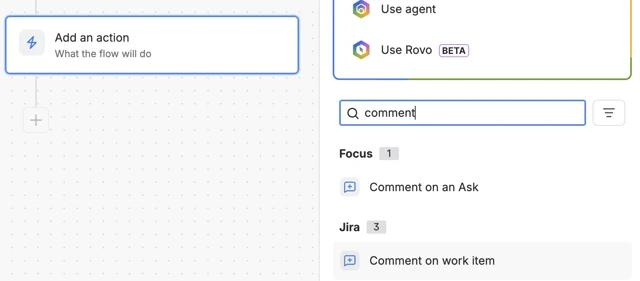
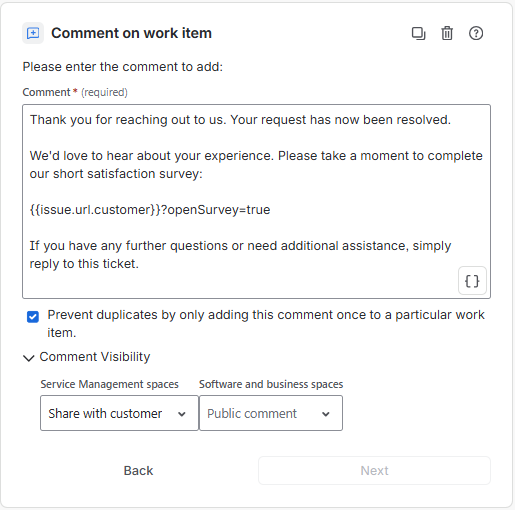
Add a Comment on work item action, set its visibility to Share with customer, and check Prevent duplicates so the comment is only added once per request.
-
Write the message that will be sent to your customer. It should include a link to open the survey, using
{{issue.url.customer}}?openSurvey=true. You can start from the Copy message template button and adjust the wording to match your tone. -
Customers can also open the survey anytime via the Answer survey button on the request, so the link in the comment is a convenient shortcut, not the only way in.
-
This is customer-facing — a clear, friendly message improves response rates. You can access the Automation guide again at any time from the survey list.