
After fetching your data, the next step is to filter the API response to extract exactly the data you want to display in your connected custom field.
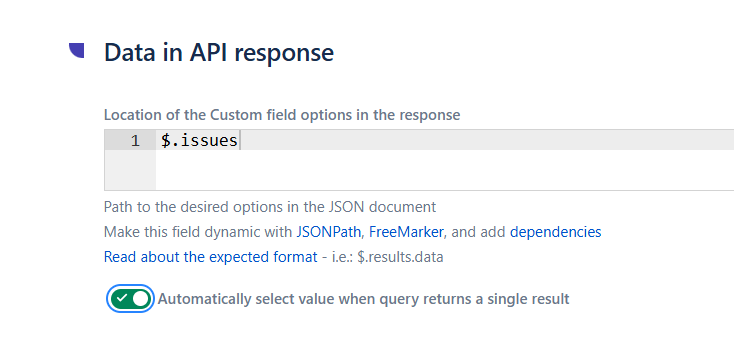
JSONPath expression - locate the data in your API response
In this field, indicate the JSONPath expression that points to the data you want to extract from your API's JSON response.
Common patterns:
-
$.results- the entireresultsarray at the root of the response -
$.results[*].name- extract only thenameproperty from each result -
$.data.projects[?(@.type=='software')].key- filter nested arrays with conditions -
$.issues[*].fields.summary- extract issue summaries from a Jira REST API search response (Jira-to-Jira data source pattern)
Learn more in JSON Path explained and in our tutorial How to filter query results using JSONPath.
Automatically select value when query returns a single result
When enabled, if the filtered API response returns exactly one result, that value is preselected automatically in the connected custom field.
This is particularly useful for queries with strong dependencies, for example, when a user's email uniquely identifies a customer record in your CRM, or when the current issue's project uniquely maps to a single asset owner.
Test your configuration
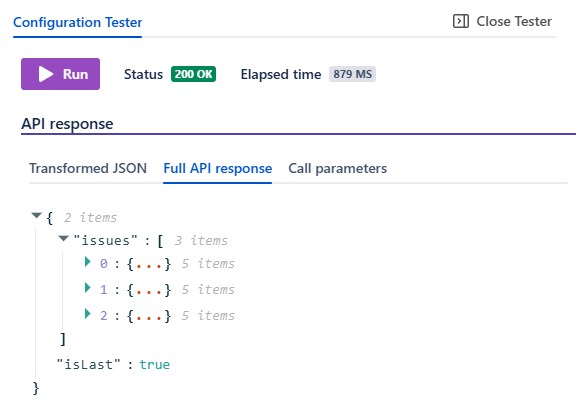
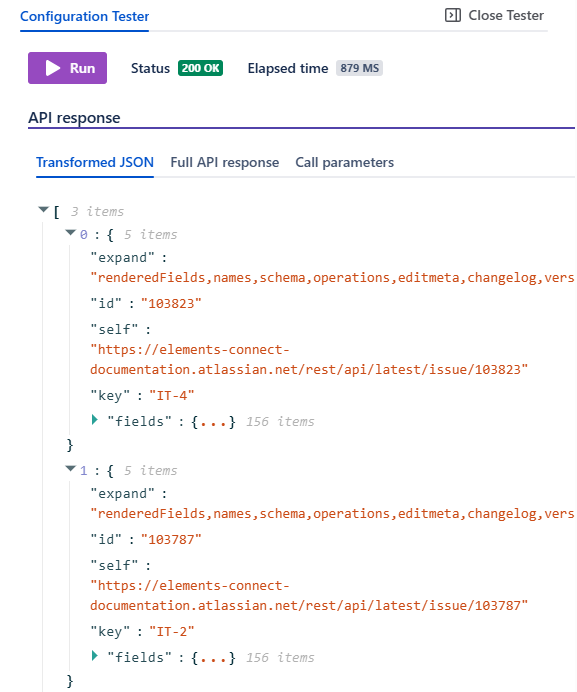
Use the built-in Configuration Tester to check that your JSONPath expression returns exactly the data you expect. Two tabs are available:
-
Full API response - displays the raw JSON response from the API, useful to understand the JSON structure and refine your JSONPath expression.
Transformed JSON - displays the filtered result after applying your JSONPath, which is what Elements Connect will actually use to populate the connected custom field.
What's next?
Continue configuring your connected custom field with the next step: 3 - Customize look & feel of custom fields - configure how your filtered data is displayed in Jira issues (templates, formatting, HTML rendering)