
The behaviors described on this page were introduced in Elements Connect 8.0.2.
Case A still applies in version 8.0.6 and later, although the error message returned by the connection test has changed.
Case B only applies to versions 8.0.2 through 8.0.5. It was fixed in version 8.0.6.
Case A - Part of the path is defined in the datasource configuration and completed at the field level
Symptoms
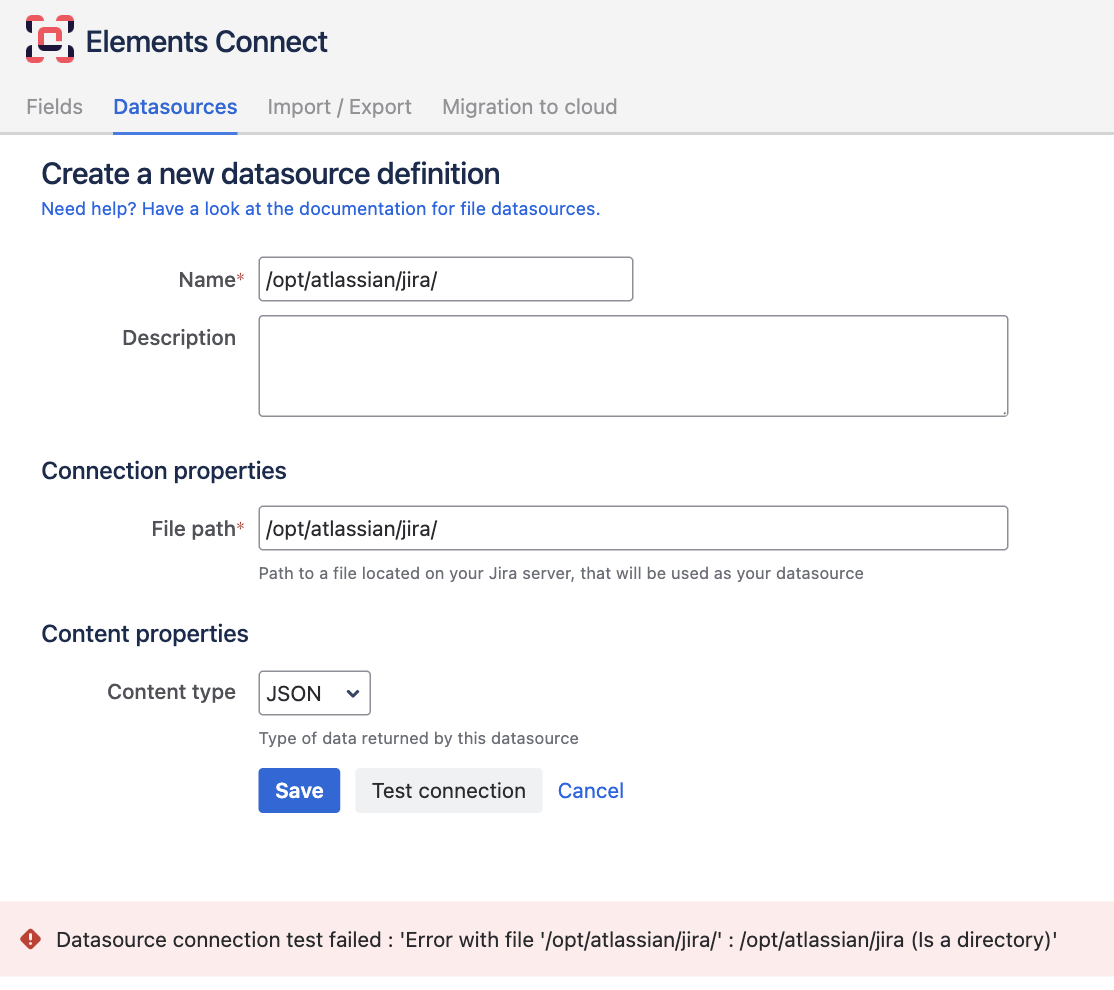
You are using a File datasource, with the following configuration:
-
Path defined in the datasource:
/opt/atlassian/jira/ -
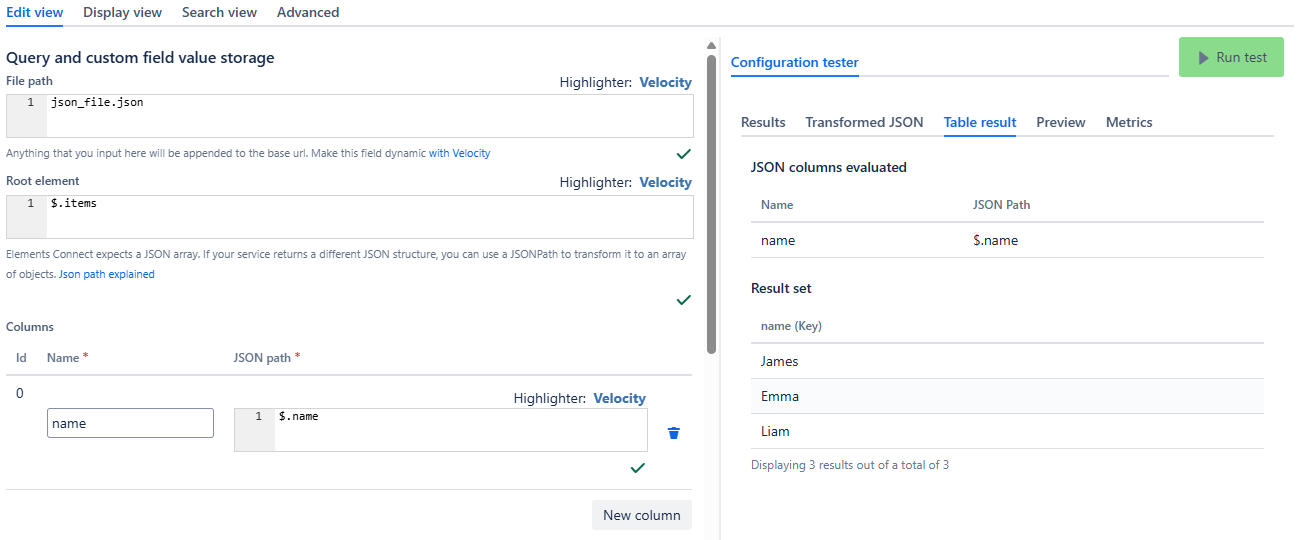
Path defined in field:
json_file.json
In versions 8.0.2 through 8.0.5, the connection test fails with an Invalid file path error.
In version 8.0.6 and later, the connection test fails with an error similar to: Error with file '/opt/atlassian/jira/' : /opt/atlassian/jira (Is a directory)
However, the field is still returning and displaying results correctly:
Cause
The connection test runs with an empty field path. As a result, it attempts to open the directory configured in the datasource, which is not a readable file.
When the field is used, the field path provides the file name, allowing the file to be resolved and read correctly.
As a result:
-
The test connection fails
-
While the field still works correctly
Resolution
No action is required if the field is already working correctly.
Case B - The entire path is defined in the datasource configuration
Symptoms
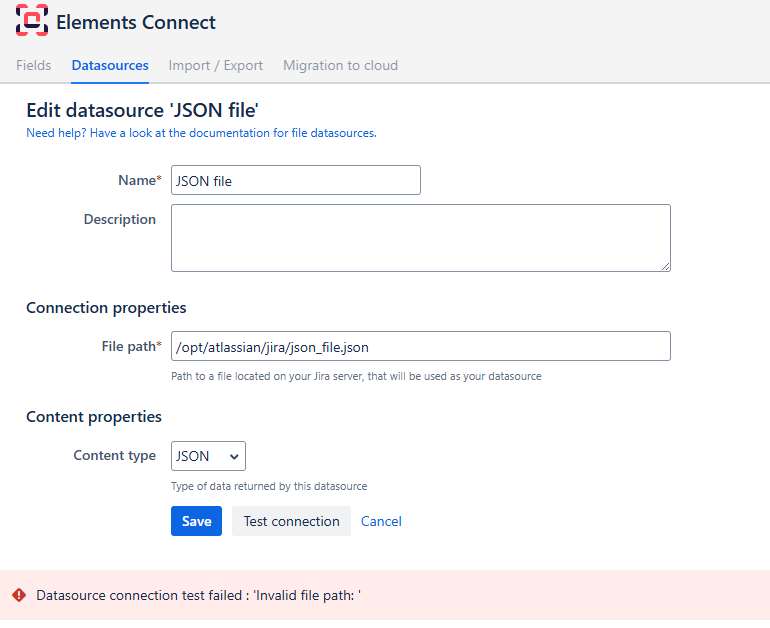
You are using a File datasource, with the following configuration:
-
Path defined in the datasource:
/opt/atlassian/jira/json_file.json -
Path defined in field:
The test connection fails on the datasource administration screen:
Cause
In versions 8.0.2 through 8.0.5, the path validation rejected configurations where the resolved file path was equal to the path configured in the datasource. As a result, defining the complete file path in the datasource while leaving the field path empty caused the connection test to fail.
Resolution
Upgrade to Elements Connect 8.0.6 or later. From version 8.0.6, this configuration is valid and supported, and the connection test succeeds.
If upgrading is not possible, split the complete file path between the datasource and field configuration:
-
Previous configuration:
-
Datasource:
/opt/atlassian/jira/json_file.json -
Field:
-
-
New configuration:
-
Datasource:
/opt/atlassian/jira/ -
Field:
json_file.json
-
File path validation
The final file path is built from the path configured in the datasource and the path configured in the field. The resulting path is resolved and checked against the datasource path. It must remain within the directory configured in the datasource. Attempts to access a file outside this directory, for example by using ../../etc/passwd in the field configuration, are rejected with an Invalid file path error.
This validation has remained in place since version 8.0.2. The change introduced in version 8.0.6 only allows the resolved path to be equal to the datasource path. The datasource path itself can only be configured by a Jira administrator.